Help security teams review alarms with visual context.
The problem with most security alerting is not that it misses things. It is that it produces more than anyone can look at, with nothing attached to help decide. PARVEK raises each event with the frame that caused it, puts it in a queue a person can actually work, and keeps the evidence attached to it.
What the workflow looks like today
Volume beats attention
An operator who receives more alerts than they can open stops opening them. The events that mattered arrive looking identical to the ones that did not.
Context lives in another system
Deciding what an alert means usually means switching to a second system, finding the camera and scrubbing to the right minute. Slow enough that most events are never checked at all.
Nothing records what was decided
When an event is dismissed, there is often no record of who dismissed it or why — which is a problem the first time an incident has to be reconstructed.
What changes in practice
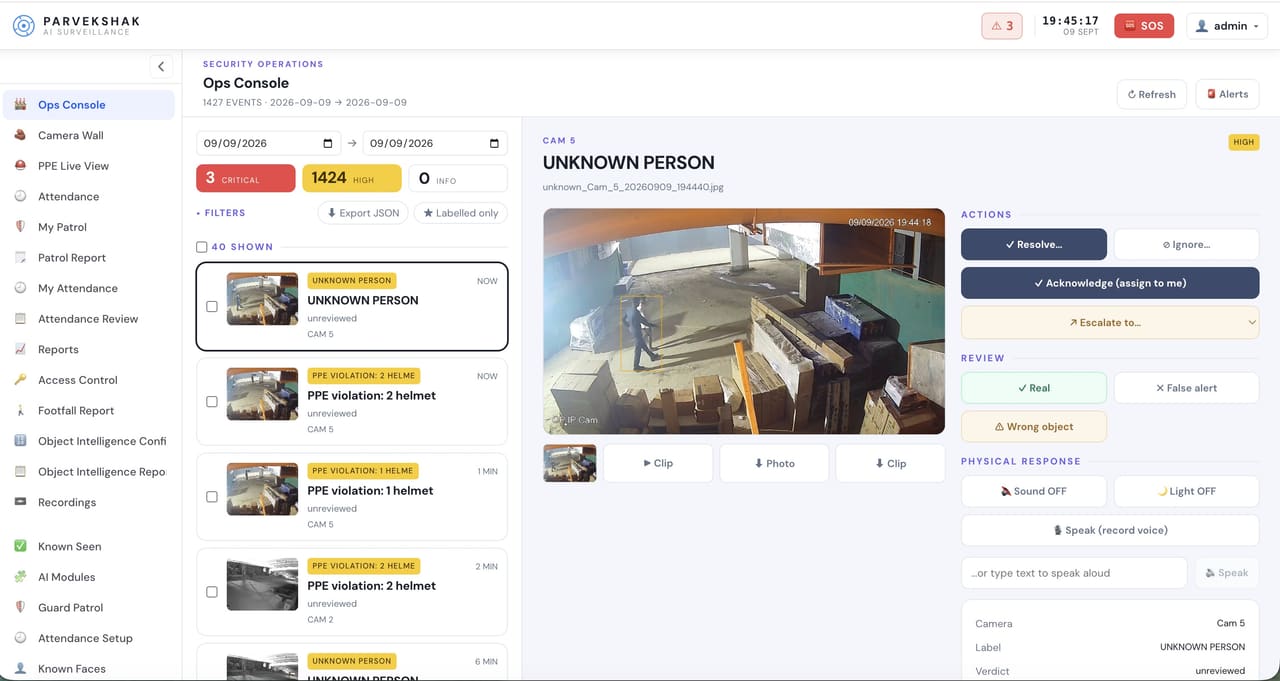
Every event arrives with its frame
The detection that caused the alert is attached to it. The first decision — does this need a response — can be made without opening anything else.
A queue built to be worked
Events land in the operations console where they can be acknowledged, resolved or escalated. The console runs on your own network.
Delivery to the people who need it
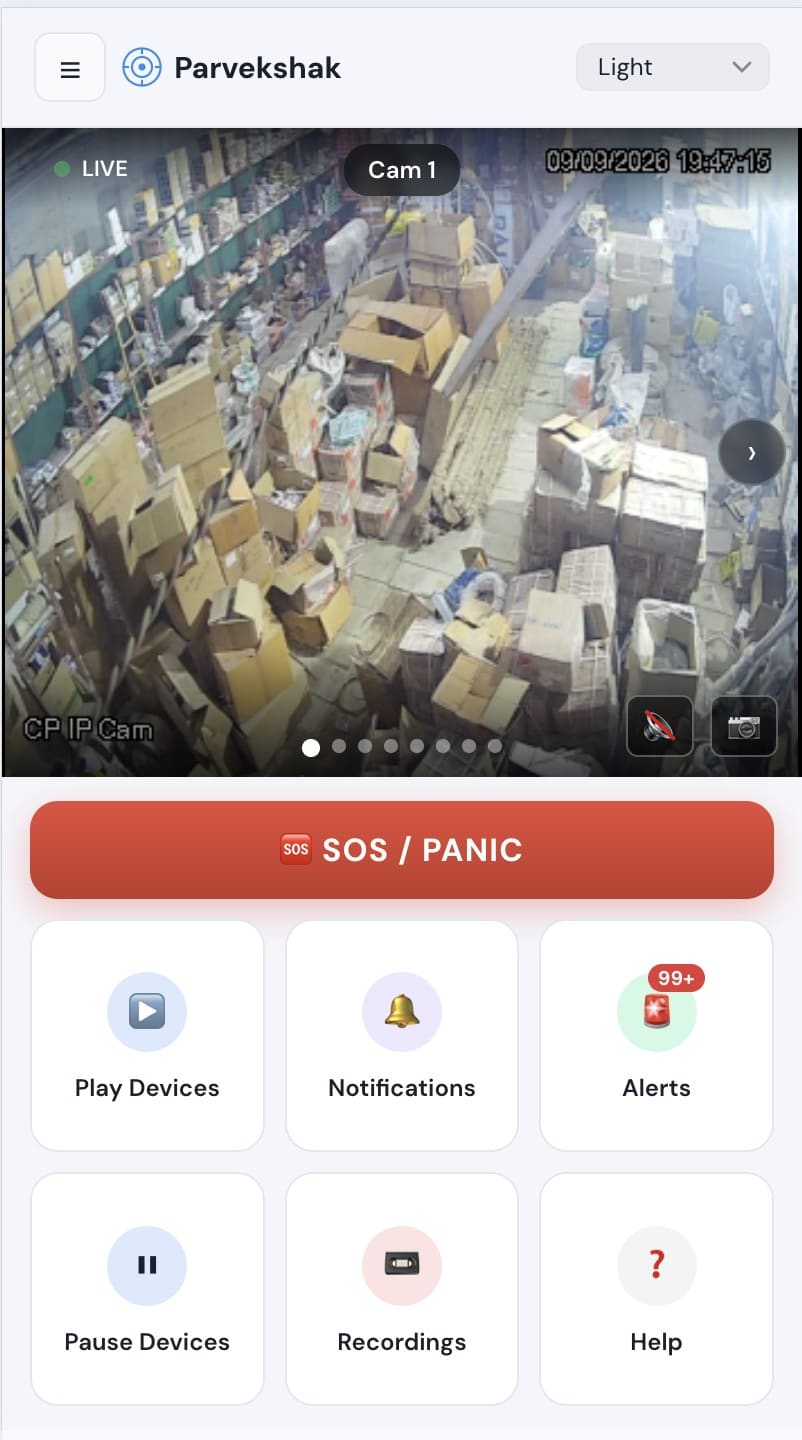
Push notification with the frame to the nominated phones, dashboard for the desk, scheduled email reporting. Critical events can reach several people at once while a site is empty.
Evidence attached, not reassembled
Frame, clip, camera, time and context stay with the event — for the investigation, the report or the month-end review.
Roles and multi-site structure
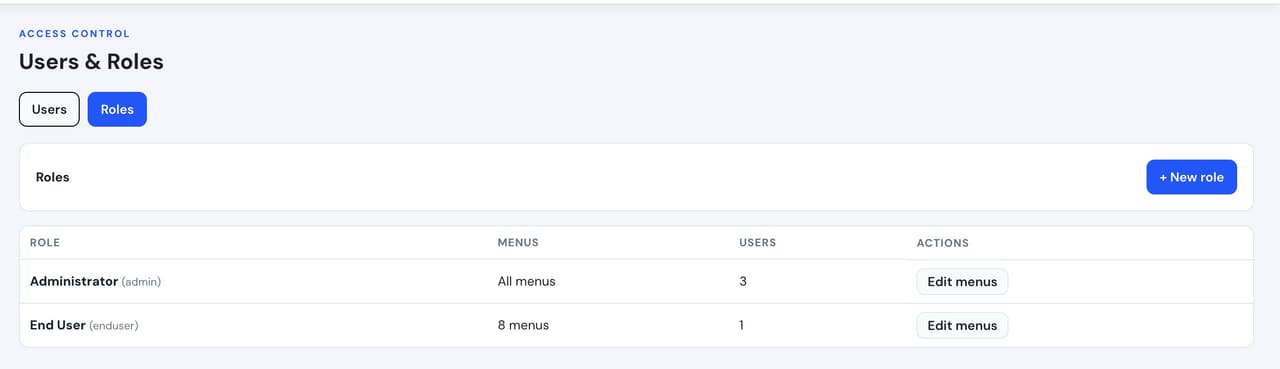
Role-based access per site, so a regional supervisor, a site manager and a guard see what they should and nothing else.
Guard workflows in the same place
Patrol checkpoints confirmed on the round and post attendance, logged alongside the events rather than on paper.
What raises an event on this workflow
Which of these apply to your site, and which cameras can carry them, is what the site survey establishes before anything is proposed.
From the event to the response
An event is raised
A detection on any camera, with the frame captured at the moment it happened.
It reaches the queue and the phones
The console and the nominated devices receive it together, with the image attached.
An operator triages it
Open, look, decide. Acknowledge, resolve or escalate — and the decision is recorded against the event.
A response is triggered where needed
Light, speaker, siren or a call-out, from the console or automatically by rule.
The record stays
The event, its evidence and what was done about it, retained on site for review and reporting.
Real frames, not illustrations
From live customer deployments. Faces are blurred where the person would otherwise be identifiable, and names are removed.
How it fits your site
The console runs on your network
The operations console and the evidence are hosted on the appliance on site. Notifications go outbound; no inbound ports are opened.
It is operated by your team
PARVEK is not a monitoring service and not an alarm receiving centre. It gives your people a workable queue; the watching and the decisions stay with you.
Forwarding into your own tooling
Pushing events into an existing SIEM, VMS or ticketing system is possible. The survey establishes what your tooling can accept and how the events should reach it.
Retention is a site decision
How long evidence is kept depends on storage on the appliance and on your own policy, both settled during deployment.
What you can enable on this workflow
Capabilities are selected per site during the survey. Nothing is on by default, and several depend on camera placement and lighting — which is what the survey establishes.
Detect
7Identify people, vehicles, objects and security events as they happen.
- Person Detection
- Vehicle Detection
- Fire & Smoke Detection
- Fall Detection
- Occupancy & Crowd Monitoring
- Footfall Counting & Dwell Time
- Intrusion & Restricted-Area Detection
Understand
6Add identity, context, movement and event intelligence to live video.
- Face Recognition
- Person Re-Identification
- Vehicle Identification
- License Plate Recognition
- Behavior & Context Analysis
- Identity-Aware Event Intelligence
Act
6Trigger alerts, sirens, speakers, lights, guard workflows and evidence when action matters.
- Real-Time Alerts
- Siren & Speaker Integration
- Floodlight & Response Integration
- Guard Workflows
- Mobile & Dashboard Notifications
- Evidence Clips & Reporting
One appliance. NVR + AI + management.
Camera streams, recording, playback, AI events, evidence clips, alerts, reports, users and roles and camera health — centralised in one appliance inside your premises. Faces, clips and reports stay on site.
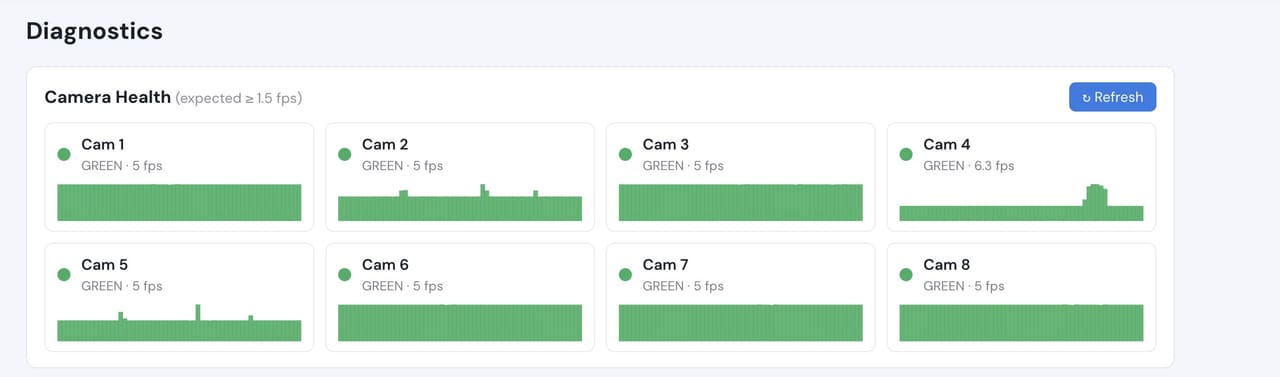
Camera count, retention and storage are specified per appliance configuration and confirmed during the assessment.
Prove it on your own cameras
The site survey comes first: your cameras, your areas, your hours and the use case you actually have. What comes out of it is a proof of concept running on your own footage, with agreed things to measure:
- How many events a day each camera and area actually produces
- How many need a response, and how many are noise worth tuning out
- Time from event raised to event opened by a person
- Whether the right people are receiving the right events
- What gets escalated, and what the escalation should trigger
Frequently Asked Questions
Is this a monitoring service? Do you watch our cameras?
No. PARVEK is software running on an appliance on your site, operated by your team. We do not monitor your cameras and we are not an alarm receiving centre. If you use a monitoring provider, PARVEK gives them better events to work with.
What stops this adding to the alert flood?
Two things. Events carry the frame, so triage is a glance rather than an investigation. And the areas, hours and capabilities are tuned during the proof of concept against your site’s real volume — which is the part that decides whether a queue is workable or abandoned.
Can we push events into our existing SIEM or VMS?
Yes. It is built against the specific system you run rather than picked off a shelf, and the survey establishes what your tooling can accept before anything is committed.
Who can see what?
Access is role-based and set per site, so a guard, a site manager and a regional supervisor each see what belongs to them. For multi-site operations this is usually the first thing configured.
How do we know it will work for our team?
Run it. The survey establishes the sites, cameras and areas; the proof of concept puts real events in front of your operators on your own footage, and you measure how many arrive, how fast they are opened and how many needed a response.
PARVEK also supports
Access Control Video Verification
Match the badge against the person at the door, and keep the footage that shows which it was.
Perimeter & Intrusion
See what crossed the line, while it is still happening — with the frame, the clip and a response in the area itself.
Industrial Security
Visual context for operational and safety alerts on a working plant, using the cameras already there.
AI surveillance and analytics are technology-assisted and do not guarantee prevention or detection of every security incident or 100% accuracy.