Watch the boundary and the empty buildings, not the people.
A school or campus is busy during the day and empty for most of the week. The security problem is concentrated in the hours nobody is there, and at the boundary — which is also where a small team has the least ability to watch.
Evenings, weekends and holidays are the exposure. Schedules matter more here than almost anywhere else.
A large boundary and a small team
Sites are open in shape and often lightly staffed outside hours, with one caretaker covering a lot of ground.
Mixed, inherited camera estates
Cameras added in phases over many years, with uneven coverage and uneven night performance.
Scenarios
From the trigger to the evidence
Which of these apply to you, and which cameras can carry them, is what the site survey
establishes before anything is proposed.
01
Someone on site at night
Trigger
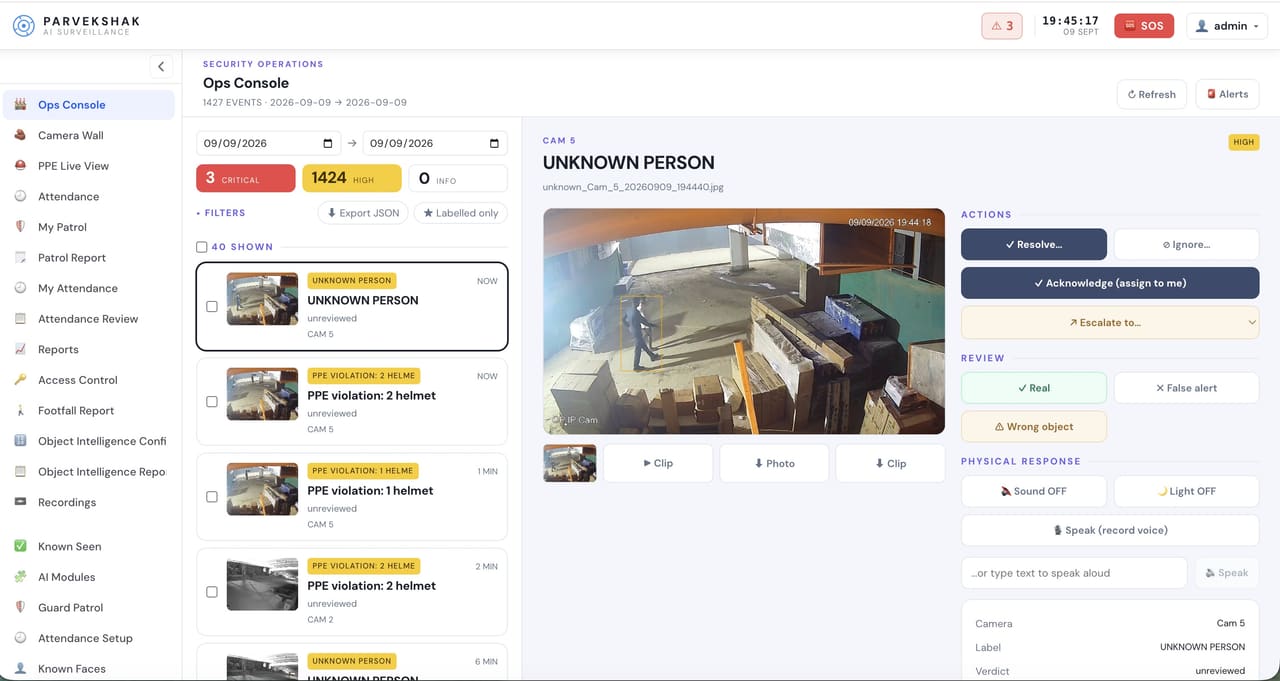
A person detected in a marked outdoor area during hours the site is closed.
Camera context
The detection frame with the area drawn on the camera view.
Operator review
A person or an animal, settled from the picture rather than a sensor state.
What happens next
Light on where one is wired, voice challenge where a speaker covers it, alert to the caretaker.
02
Entry to a plant room or store
Trigger
A person inside a restricted area outside its permitted window.
Camera context
The frame at the moment of detection.
Operator review
Contractor working late, or an unexplained entry.
What happens next
Alert with the clip, retained for the incident log.
03
Activity at a boundary or gate out of hours
Trigger
Movement at the fence line or a gate when the site is closed.
Camera context
The boundary camera, lit if a floodlight is wired in.
Operator review
Whether it warrants a call-out.
What happens next
Escalation to the nominated phones with the frame attached.
04
A camera covering an exposed area stops working
Trigger
A camera goes offline, is moved or is obscured.
Camera context
The last usable frame and the time it stopped.
Operator review
Raised as an event in its own right.
What happens next
Repaired before an incident proves it was blind.
How PARVEK Fits
Built around what you already run
Configured around hours, not people
Areas carry the schedule they are off limits. During the day, those areas simply do not raise events.
Uses the cameras already there
Standard RTSP and ONVIF, read directly or through the existing recorder.
Local processing
The appliance runs on your own network. Continuous video does not leave the site.
Night performance is a hardware question
An unlit field at the end of a wide lens cannot be fixed in software. The survey says which areas need light before anything is promised.
The configuration here is deliberately about places and hours rather than individuals. What is retained, for how long and who can see it are decisions you make and we configure, and they belong in your own policy review before anything runs.
Capabilities
What you can enable here
Capabilities are selected per site during the survey. Nothing is on by default, and several depend on camera placement and lighting — which is what the survey establishes.
Camera streams, recording, playback, AI events, evidence clips, alerts, reports, users and roles
and camera health — centralised in one appliance inside your premises. Faces, clips and reports
stay on site.
InputIP / Wi-Fi / compatible existing cameras
→
NetworkPoE / network
→
On premisesPARVEK ApplianceRecording · AI detection & rules · management
→
Mobile alertVoice warningLight / floodlightSiren / hooterEvidence clipReports
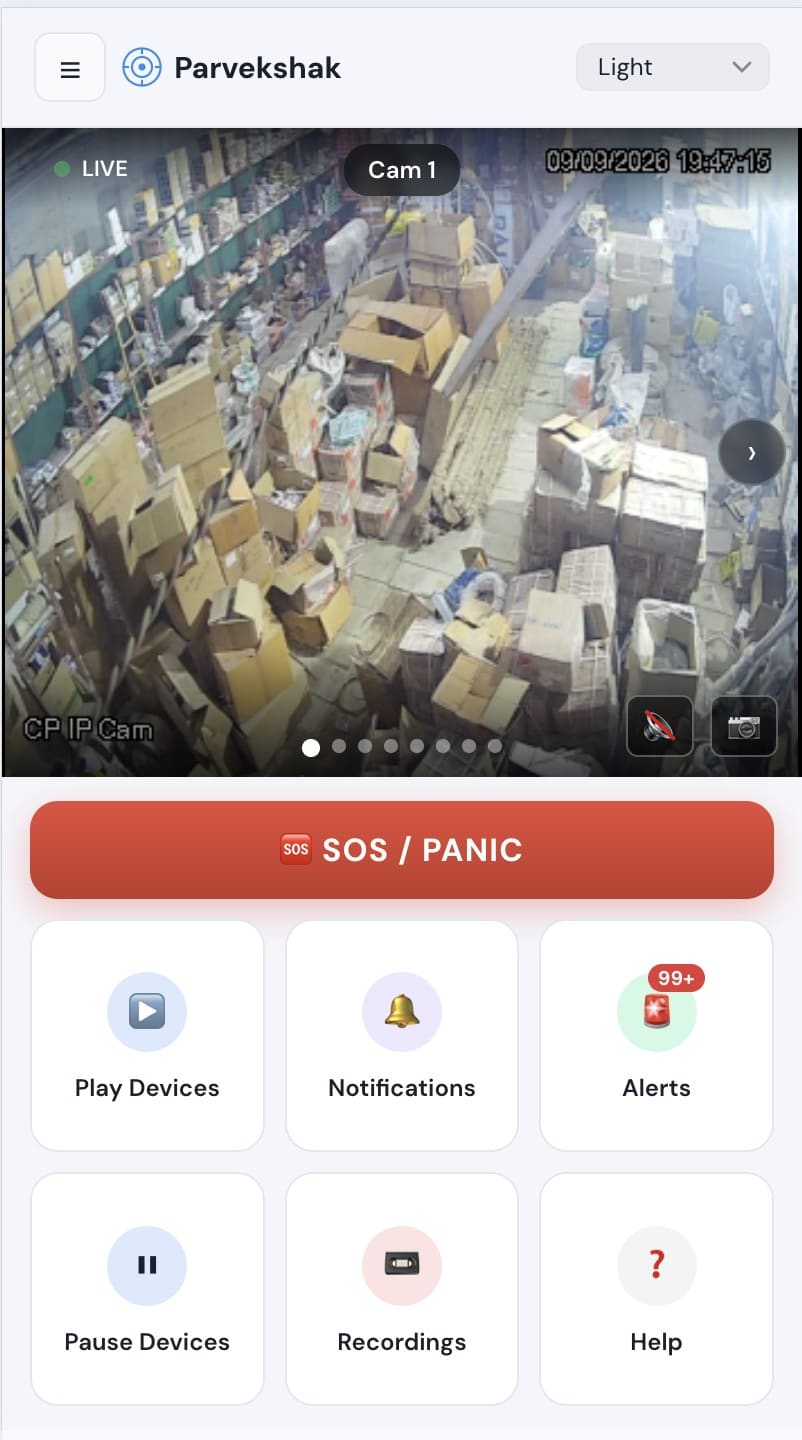
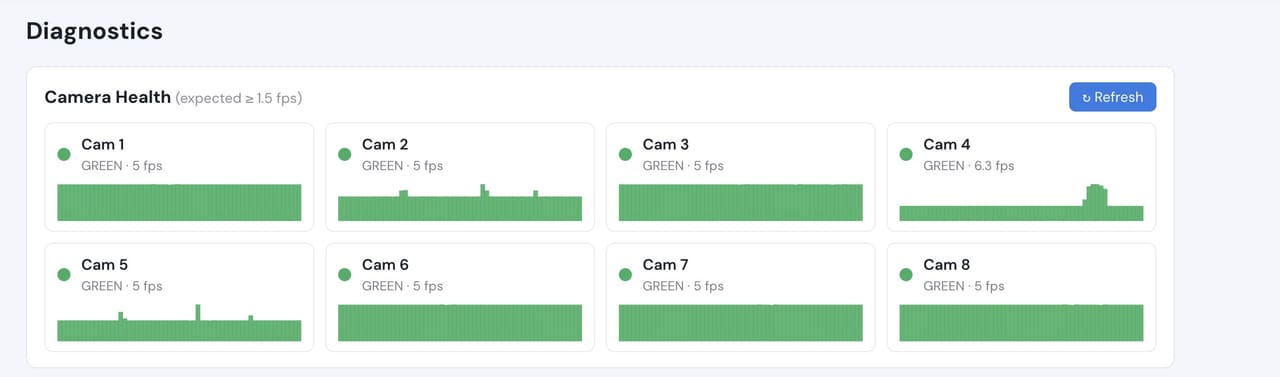
Ops console — events, evidence and response in one placeMobile app — live view, alerts and SOSCamera health — offline and degraded cameras flagged
Camera count, retention and storage are specified per appliance configuration and confirmed
during the assessment.
We do not publish improvement percentages, because none have been measured across a fleet
and yours would not match them anyway. What a bounded proof of concept gives you is your
own numbers, on your own footage:
Events per night across the boundary and outdoor areas
How many need a call-out versus how many are wildlife or weather
Which cameras give a usable image after dark, and which need lighting
Time from detection to the caretaker or on-call person having the frame
Whether the response — light, voice, call-out — is right for each area
No. The useful configuration for a campus is areas and hours — a boundary at night, a plant room out of hours. During the school day those areas raise nothing. We would steer you away from anything that amounts to monitoring people going about their day.
Do we need to replace our cameras?
Usually not. What matters is placement, lighting and resolution at the distance involved rather than age. The free camera check and site assessment tell you which of yours are usable before anyone proposes a purchase.
Can it detect weapons?
Threat detection is offered only on qualified deployments after site-specific validation, and it is not something we enable because a tier was purchased. For most campuses the questions that actually get answered are boundary and out-of-hours presence.
Who gets the alerts at 2am?
Whoever you nominate — caretaker, on-call manager, or several people at once. Delivery is push notification with the frame attached, plus the console for anyone at a desk.
AI surveillance and analytics are technology-assisted and do not guarantee prevention or detection of every security incident or 100% accuracy.
Start with a site survey
Tell us what the site is, what it runs and what you need it to catch. The survey establishes whether your cameras can carry the use case — and from there, a proof of concept runs it on your own footage.