Don’t replace your cameras. Make them intelligent.
Most sites already have the coverage they need — what they lack is anything watching it. PARVEK connects to compatible IP and RTSP cameras and adds detection, alerts, recording, physical response and reporting, without a rip-and-replace project.
Most of what you own, probably
We would rather tell you which cameras are not worth running AI on than sell you detection on top of a blind spot. The compatibility check is free and the list is yours either way.
IP or RTSP cameras
Most cameras installed in the last several years stream RTSP. If we can reach the stream on your network, we can usually run detection on it.
Any major brand
We are not tied to one manufacturer. Mixed estates are normal — sites often have three brands and two generations on the same network.
Cameras in serviceable condition
Lenses reasonably clear, mounts solid, aim correct. A camera that has drifted to face a wall is a ladder problem before it is an AI problem.
Enough light at night
Detection follows what the camera can actually see. Where the lighting is the limitation, a floodlight is the honest fix — and it can double as the response.
Where we will tell you no
- Analog cameras with no network path — these need an encoder or replacement
- Cameras so low-resolution or distant that a person is a handful of pixels
- Views where the area of interest is out of frame — no setting fixes coverage
- Cameras on a network we cannot reach without changes you are unwilling to make
Detection quality follows what the camera can see. No threshold makes up for a view that does not contain the thing you want detected.
Three ways to build a camera system
Not better or worse in the abstract — they are different architectures with different trade-offs. This is where PARVEK sits.
| Traditional CCTV / NVR | Cloud AI cameras | PARVEK | |
|---|---|---|---|
| Recording | DVR/NVR on site | Usually cloud, often on a subscription | On the PARVEK appliance, on site |
| AI analytics | None, or basic motion | In the cloud, per-camera | On the appliance, across your cameras |
| Works with existing cameras | n/a | Typically needs their own cameras | Compatible IP/RTSP cameras can be reused |
| Where footage lives | On site | Off site | On site |
| Internet dependency | Only for remote viewing | Required for detection | Only to deliver remote alerts |
| Alerts | You review footage afterwards | App notification | App notification with snapshot and clip |
| Physical response | Separate system, if any | Limited, camera-bound | Voice, light and siren driven by the event |
| Implementation | Installer supplies and fits | Largely self-install | Assess, design, install, commission, train |
| Ongoing cost | Service contract | Per-camera subscription | Service plan; no mandatory cloud subscription |
From your camera list to detection running
Send us what you have
Camera makes and models if you know them, or just photos of the views. A screenshot of your NVR grid tells us most of it.
Compatibility check
We confirm which streams we can reach, at what resolution and frame rate, and which locations can support which capabilities.
Honest assessment
A list of what is worth keeping, what needs re-aiming or cleaning, and the few cameras — if any — genuinely worth replacing.
Appliance and configuration
The PARVEK appliance is installed, your cameras are brought onto it, and zones, hours, people and capabilities are configured with your team.
Commission and hand over
Every configured alert and response tested in front of you, your users trained, and the support route confirmed.
One appliance. NVR + AI + management.
Camera streams, recording, playback, AI events, evidence clips, alerts, reports, users and roles and camera health — centralised in one appliance inside your premises. Faces, clips and reports stay on site.
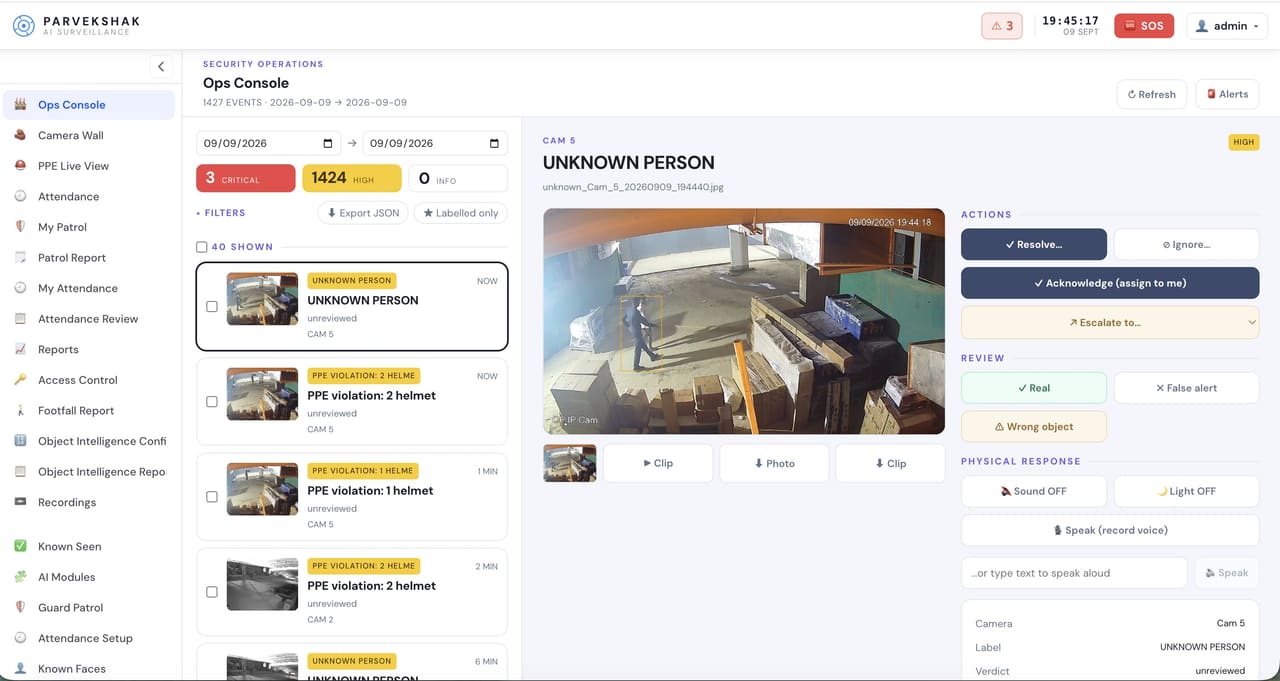
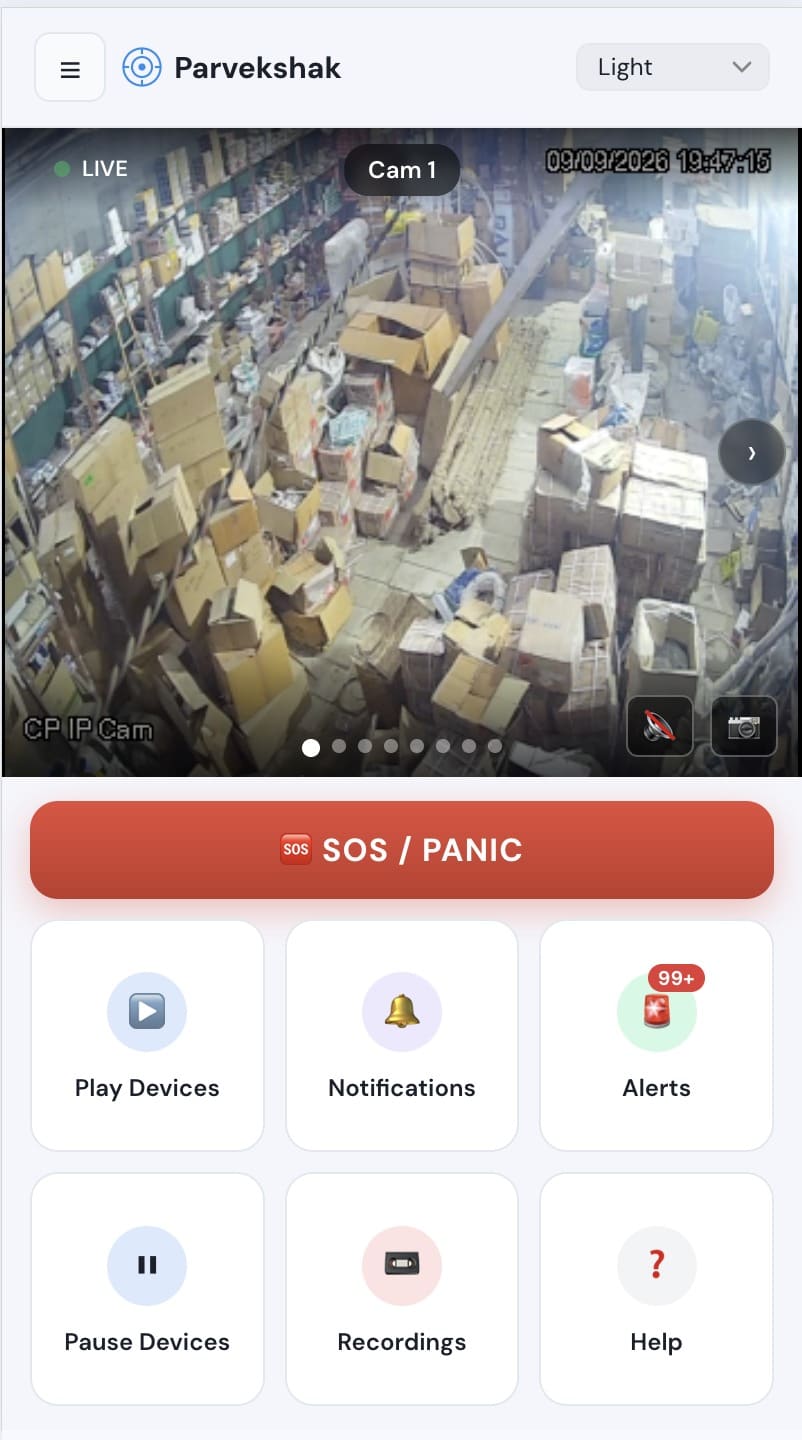
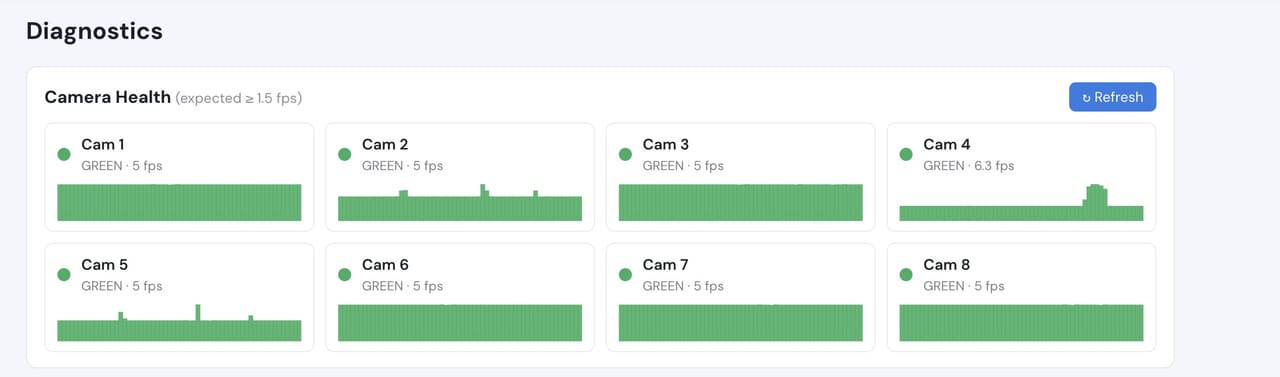
Camera count, retention and storage are specified per appliance configuration and confirmed during the assessment.
What your cameras could be doing
Once the appliance is in and your cameras are on it, enabling a capability is a configuration change rather than new hardware — subject to the camera covering the right area well enough.
Detect
6Identify people, vehicles, objects and security events as they happen.
- Person Detection
- Vehicle Detection
- Fire & Smoke Detection
- Fall Detection
- Occupancy & Crowd Monitoring
- Intrusion & Restricted-Area Detection
Understand
6Add identity, context, movement and event intelligence to live video.
- Face Recognition
- Person Re-Identification
- Vehicle Identification
- License Plate Recognition
- Behavior & Context Analysis
- Identity-Aware Event Intelligence
Act
6Trigger alerts, sirens, speakers, lights, guard workflows and evidence when action matters.
- Real-Time Alerts
- Siren & Speaker Integration
- Floodlight & Response Integration
- Guard Workflows
- Mobile & Dashboard Notifications
- Evidence Clips & Reporting
Frequently Asked Questions
Do we lose our existing recordings?
No. The PARVEK appliance records alongside whatever you have; we do not require your existing recorder to be removed on day one. Many sites run both during a transition and then retire the old NVR once retention on the appliance covers their requirement.
How many cameras can one appliance take?
It depends on the configuration — camera count, resolution, retention and which capabilities are running all affect it. We specify the appliance for your site after the compatibility check rather than quoting a universal number.
Does our video get uploaded anywhere?
No. Detection and recording are local to the appliance in your building. An internet connection is used only to deliver remote alerts and, if you want it, remote support.
What if only some of our cameras are suitable?
That is the normal outcome, and it is fine. Capabilities are configured per camera: the four cameras covering your dock can run counting and zones while the older ones in the corridor simply record. You are not obliged to bring the whole estate up to one standard.
Is the compatibility check free?
Yes. It costs nothing and you get the list of what works either way — including the cameras we would tell you not to spend money on.