Watch the areas on a plant that nobody walks past.

A working plant has cameras everywhere and nobody with time to watch them. The places where an unnoticed event becomes an expensive one — plant rooms, material stores, conveyor runs, yard corners — are exactly the places with no footfall.

What makes this estate hard to watch

Coverage is good; attention is not

An estate built up over a decade usually covers the site well. The footage gets used after incidents rather than during them.

The site is busy by day and empty by night

What counts as normal changes completely at shift end, which is what makes schedules more useful here than thresholds.

Conditions are hard on cameras

Dust, steam, vibration and glare all cut what a lens can resolve. That is a per-camera fact, not a per-site one.

From the trigger to the evidence

Which of these apply to you, and which cameras can carry them, is what the site survey establishes before anything is proposed.

01

Person in a plant room out of hours

Trigger

Someone enters a marked area during the window it should be empty.

Camera context

The detection frame with the area drawn on the camera view.

Operator review

Contractor working late, or someone who should not be there.

What happens next

Spoken announcement in that room where a speaker exists, silent alert where announcing it would be wrong.
02

Boundary crossing at the back fence

Trigger

A person enters the yard across a boundary rather than through the gate.

Camera context

The boundary camera, lit by the floodlight if one is wired to the appliance.

Operator review

The frame answers person-or-animal immediately.

What happens next

Light on, voice challenge, alert to the on-call phone, clip retained.

03

Vehicle in the yard outside permitted hours

Trigger

A vehicle at a gate or in the yard when the site is closed.

Camera context

A timestamped frame of the vehicle at the line it crossed.

Operator review

Expected delivery, or not.

What happens next

Logged with the frame; escalated where it is not on the schedule.

04

Person down in an area worked alone

Trigger

A person detected on the floor where someone normally works unaccompanied.

Camera context

The frame and the clip around it.

Operator review

Raised immediately rather than discovered on the next round.

What happens next

Alert to the supervisor and the nominated phones, with the location.

05

Occupancy in a bay at shift change

Trigger

More people in an area than the count agreed for it.

Camera context

The live count shown on the frame.

Operator review

An operational record rather than a security alarm.

What happens next

Counts to the daily report; alert only where you set one.

Built around what you already run

Built around the cameras already on the plant

Mixed estates are the normal case. Reading standard streams rather than vendor SDKs is what makes them workable.

Areas and hours, not global thresholds

Each area carries its own schedule, which is what keeps event volume reviewable on a site that is busy twelve hours a day.

Response wired at commissioning

Speakers, floodlights and sirens driven from relay outputs on the appliance. What they are wired to is a site decision.

Safety systems stay authoritative

PARVEK adds visual context around an area. It is not a certified safety or life-safety device and does not replace one.

Dust, steam, vibration and glare all affect what a camera can resolve, and it varies by location. This is exactly what a proof of concept on your own cameras settles — it shows the real behaviour in your conditions rather than a number from someone else’s site.

One appliance. NVR + AI + management.

Camera streams, recording, playback, AI events, evidence clips, alerts, reports, users and roles and camera health — centralised in one appliance inside your premises. Faces, clips and reports stay on site.

Input IP / Wi-Fi / compatible existing cameras
Network PoE / network
On premises PARVEK Appliance Recording · AI detection & rules · management
Mobile alertVoice warningLight / floodlightSiren / hooterEvidence clipReports
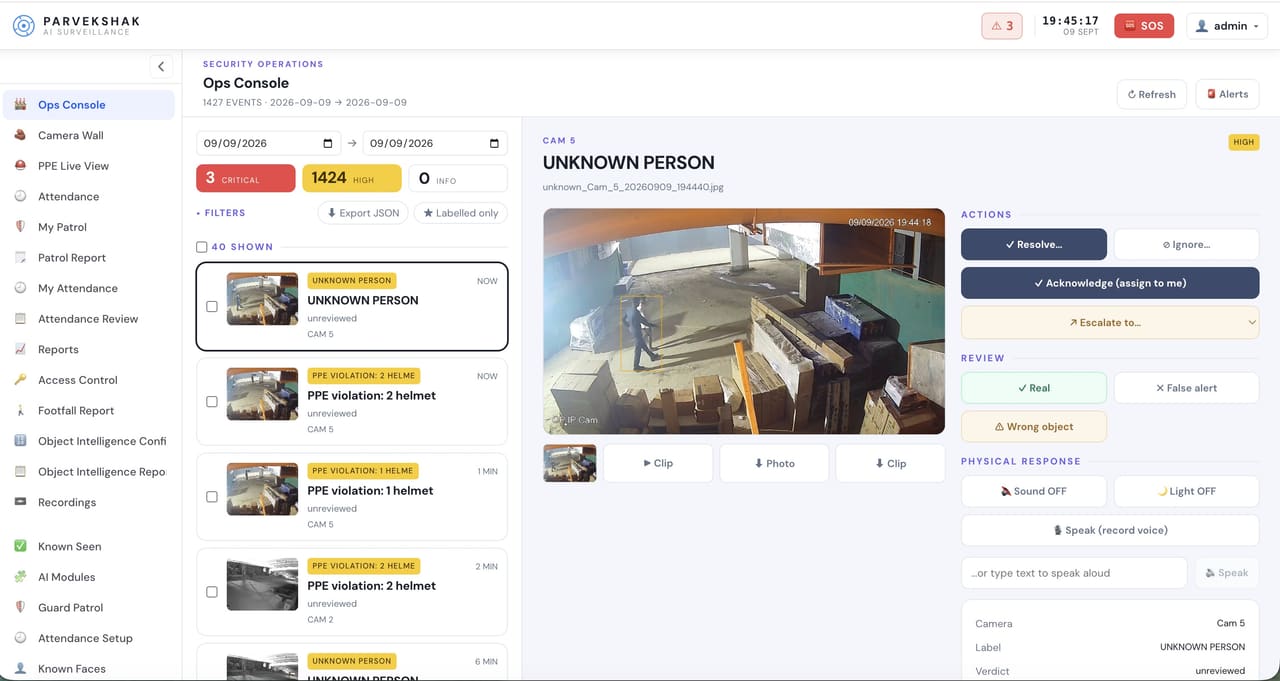
The PARVEK ops console: an event list on the left, the selected UNKNOWN PERSON detection frame in the centre, and resolve, escalate and physical-response controls on the right
Ops console — events, evidence and response in one place
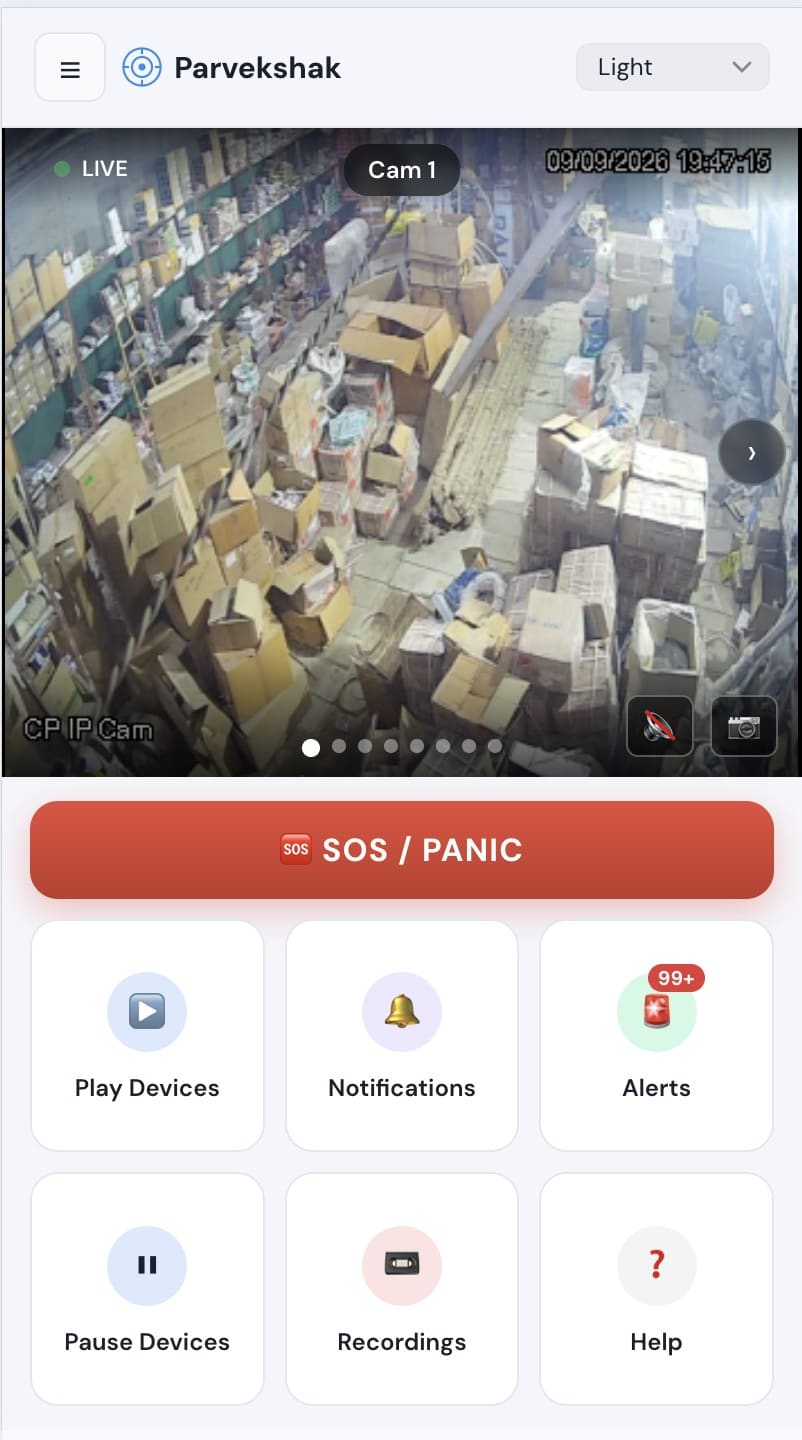
The PARVEK mobile app showing a live camera view, an SOS/panic button, and tiles for devices, notifications, alerts and recordings
Mobile app — live view, alerts and SOS
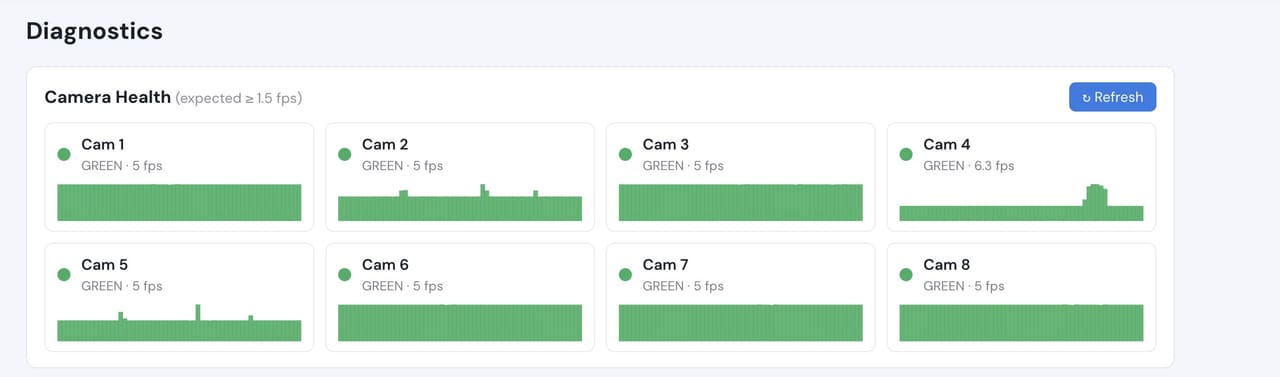
Camera health diagnostics listing eight cameras with their frame rates, all green
Camera health — offline and degraded cameras flagged

Camera count, retention and storage are specified per appliance configuration and confirmed during the assessment.

What to measure on your own site

We do not publish improvement percentages, because none have been measured across a fleet and yours would not match them anyway. What a bounded proof of concept gives you is your own numbers, on your own footage:

  • Which areas and hours genuinely need watching
  • Event volume per area across a full working week, shift changes included
  • Which existing cameras resolve what is needed, and which need moving or relighting
  • Whether announcements and lights are the right response in each area
  • How quickly an event reaches the person who has to act on it

Frequently Asked Questions

Does PARVEK connect to our PLC or SCADA system?

Not as a shipped connector, and we will not claim otherwise. PARVEK raises its own events from the cameras on site, which is what most plants actually need. Bringing in alerts from a control system is worked out with you during the survey, against the specific system you run.

Can it replace our fire or gas detection?

No. Certified life-safety and process-safety devices remain authoritative. PARVEK can add visual context around an area but is not a substitute for certified detection.

Our cameras are old. Does that rule us out?

Usually not. Age matters less than placement, lighting and how many pixels land on a person at the distance that matters. The assessment tells you which of your cameras are usable as they are.

We run several plants. How does that work?

Each site runs its own appliance with processing local to it, and events roll up with role-based access per site.

AI surveillance and analytics are technology-assisted and do not guarantee prevention or detection of every security incident or 100% accuracy.

Start with a site survey

Tell us what the site is, what it runs and what you need it to catch. The survey establishes whether your cameras can carry the use case — and from there, a proof of concept runs it on your own footage.