Physical security evidence for every secure-area event.

A data center already has access control on every door and cameras on every aisle. What it usually lacks is the two joined together — so that a badge read at a hall door comes with the picture of who walked through it, retained for the audit that will ask.

What makes this estate hard to watch

Access control is dense, and so is the event volume

Doors, cages, halls and corridors all badge-controlled. The log is complete and the picture is missing, so exceptions are reviewed only when something has already gone wrong.

Contractors and escorts are the daily reality

Installers, engineers and delivery crews move through secure space under escort. Whether the escort stayed with them is a question the access log cannot answer.

Audit is the default state

Customer audits, certification audits and incident reviews all ask the same thing: show me who was in that space and when. Assembling that by hand from two systems is slow.

From the trigger to the evidence

Which of these apply to you, and which cameras can carry them, is what the site survey establishes before anything is proposed.

01

Access granted to a hall out of schedule

Trigger

A valid badge opens a hall door outside the window agreed for that person.

Camera context

The camera covering that door captures the frame at the moment of the read.

Operator review

The operator sees the badge holder on record beside the person at the door, in one view.

What happens next

Acknowledged, or escalated to the shift lead with the clip attached and retained against the event.
02

Door held open on a secure aisle

Trigger

A door stays open past its timer — propped for a delivery, or left for someone following.

Camera context

The view of the doorway for the period the door was open.

Operator review

Whether it was a cart going through or a door deliberately defeated.

What happens next

Logged with the footage; repeated offences become a pattern the team can show.

03

Movement in a cage or hall that should be empty

Trigger

A person detected inside a marked area during hours it is off limits.

Camera context

The detection frame with the area drawn on it.

Operator review

Acknowledge, resolve or escalate from the console.

What happens next

Area response where it is wired, and the clip retained for the incident record.

04

Perimeter and yard activity after hours

Trigger

Someone crosses the boundary or enters the generator or plant yard at night.

Camera context

The boundary camera, with the area lit if floodlights are wired to the appliance.

Operator review

A person or a fox, decided in seconds from the frame.

What happens next

Alert to the on-call phone, voice challenge where a speaker covers that area.

05

A camera covering a secure space goes dark

Trigger

A camera is obscured, moved or stops streaming.

Camera context

The last usable frame and the time it stopped.

Operator review

Raised as an event in its own right rather than discovered during an audit.

What happens next

Maintenance ticket before the gap becomes an evidence gap.

Built around what you already run

It reads the cameras already installed

Standard RTSP and ONVIF, directly or through the existing recorder, which keeps recording exactly as before.

Processing stays inside the building

The appliance sits on your own network and analyses locally. Notifications go outbound; no inbound ports are opened for it.

Access integration is built against your platform

Door events are read from an API, a database view or a scheduled export, and connected during onboarding rather than picked off a shelf.

Evidence is retained where your policy says

Frame, clip, camera, area and time stay with the event on the appliance, for the retention period you set.

One appliance. NVR + AI + management.

Camera streams, recording, playback, AI events, evidence clips, alerts, reports, users and roles and camera health — centralised in one appliance inside your premises. Faces, clips and reports stay on site.

Input IP / Wi-Fi / compatible existing cameras
Network PoE / network
On premises PARVEK Appliance Recording · AI detection & rules · management
Mobile alertVoice warningLight / floodlightSiren / hooterEvidence clipReports
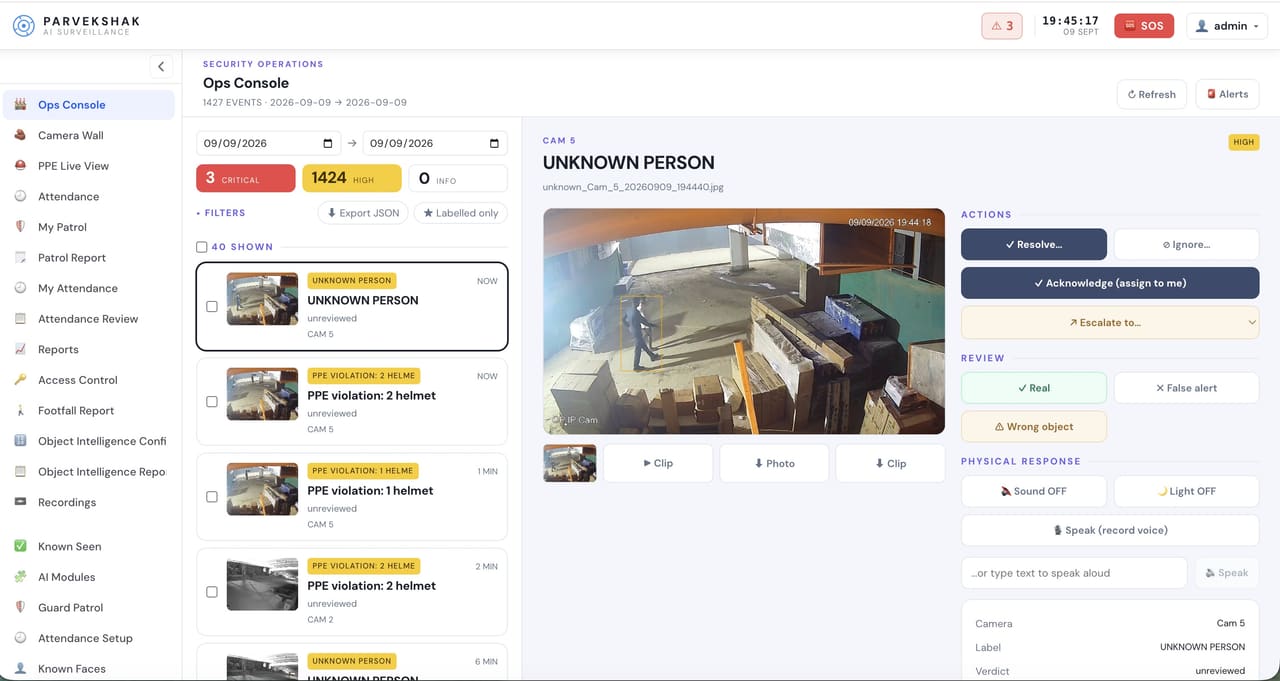
The PARVEK ops console: an event list on the left, the selected UNKNOWN PERSON detection frame in the centre, and resolve, escalate and physical-response controls on the right
Ops console — events, evidence and response in one place
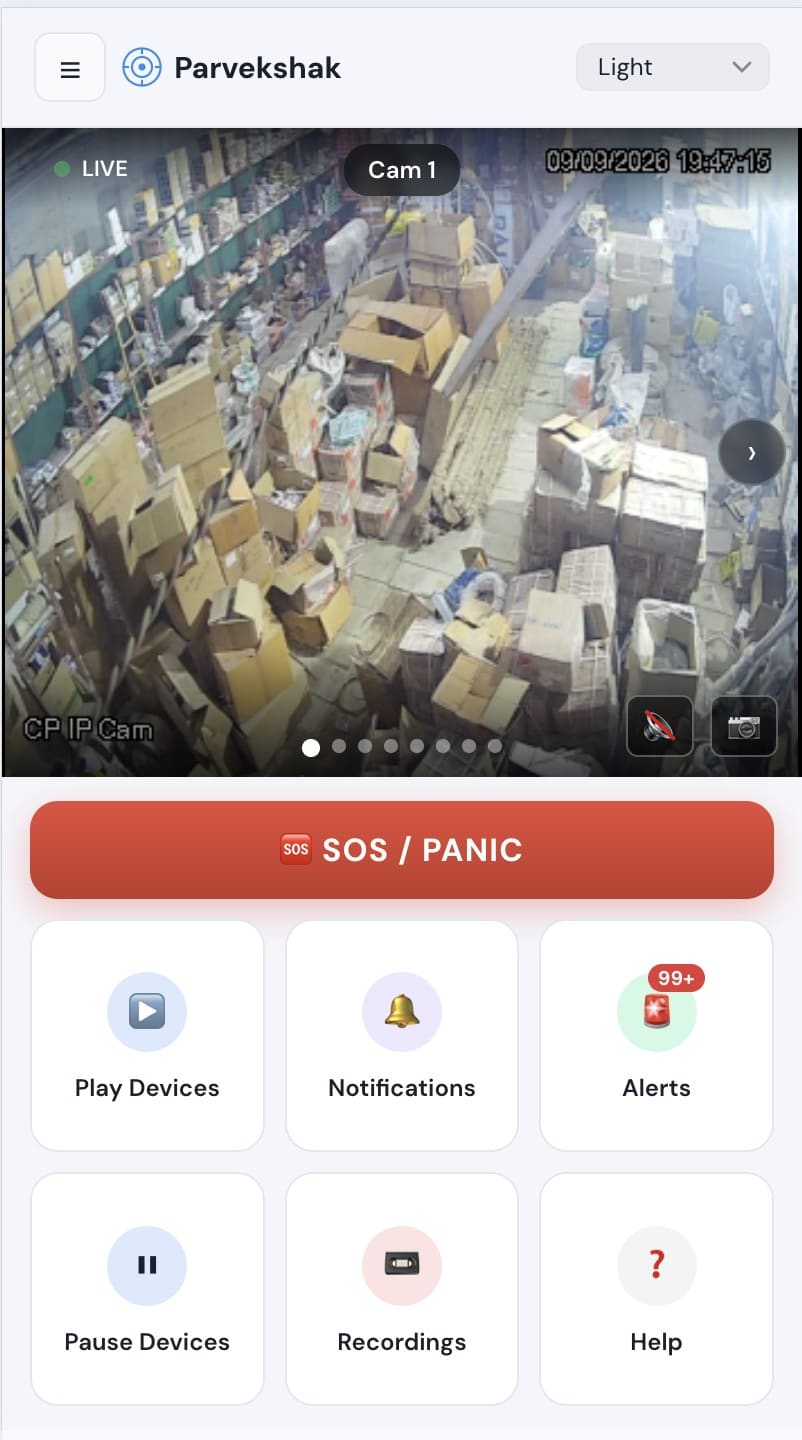
The PARVEK mobile app showing a live camera view, an SOS/panic button, and tiles for devices, notifications, alerts and recordings
Mobile app — live view, alerts and SOS
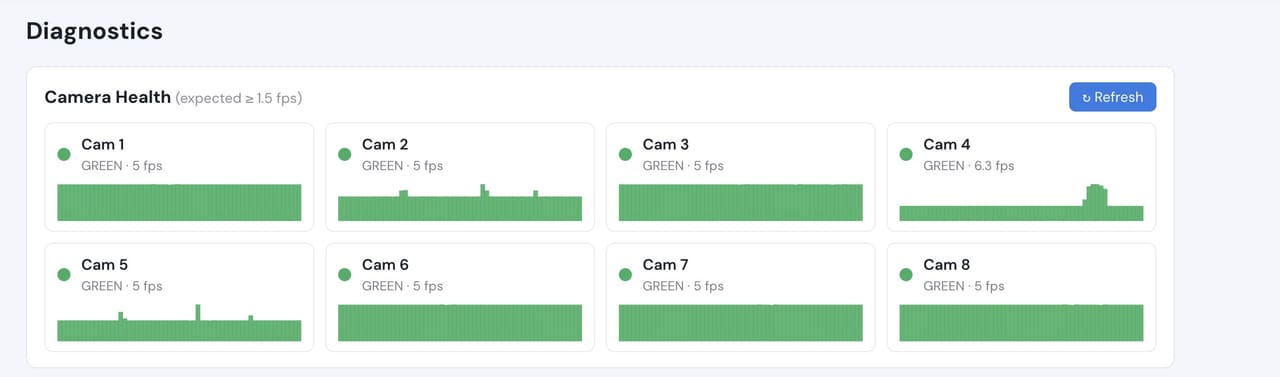
Camera health diagnostics listing eight cameras with their frame rates, all green
Camera health — offline and degraded cameras flagged

Camera count, retention and storage are specified per appliance configuration and confirmed during the assessment.

What to measure on your own site

We do not publish improvement percentages, because none have been measured across a fleet and yours would not match them anyway. What a bounded proof of concept gives you is your own numbers, on your own footage:

  • Median time from an access exception to the relevant footage being on screen
  • How many hall and cage exceptions a week actually warrant a response
  • Whether the camera on each critical door can resolve a face at the reader
  • Time to assemble an evidence pack for an audit request
  • Operator minutes spent per reviewed event, before and after

Frequently Asked Questions

Does this replace our access control system?

No. PARVEK reads access events and correlates them with video. It never controls doors — locking and unlocking stays entirely with your access-control platform.

Will any video leave our facility?

Analysis runs on an appliance on your own network, and continuous video does not leave the site. What goes out is the notifications you configure. The exact data flow is written down during the assessment so your security review has something concrete to approve.

Our halls are badge-controlled but the cameras are above head height. Does correlation still work?

Pairing a door event with footage works regardless. Deciding whether the right person used the badge needs a camera that can resolve a face at the reader, and that is confirmed door by door at the assessment rather than assumed.

Can we feed events into our existing SIEM or ticketing system?

Yes — it is built against the specific system you run, and the survey establishes what your tooling can accept before anything is committed.

AI surveillance and analytics are technology-assisted and do not guarantee prevention or detection of every security incident or 100% accuracy.

Start with a site survey

Tell us what the site is, what it runs and what you need it to catch. The survey establishes whether your cameras can carry the use case — and from there, a proof of concept runs it on your own footage.