Understand what triggered a perimeter or intrusion alarm.
A boundary alarm tells you a line was crossed. It cannot tell you whether it was a person, a delivery van, a branch in the wind or a cat. PARVEK watches the same boundary on camera, raises the event with the frame that caused it, and can light the area and challenge over the speaker while the person is still standing there.
What the workflow looks like today
The alarm arrives without a picture
A fence sensor, beam or contact reports a state change. Whoever receives it has to decide what to do with no idea what caused it.
So it gets ignored
A boundary that reports wind and wildlife all night trains the people watching it to dismiss everything. The one event that mattered arrives looking exactly like the hundred that did not.
The footage is found the next morning
By the time someone scrubs back to the right minute, the response window has closed. The video becomes a record of what happened rather than something that changed it.
What changes in practice
The boundary is drawn on the camera view
Areas are marked directly on the image — the fence line, the yard, the loading apron, the gap behind the building. PARVEK raises an event when a person is inside one during the hours it is off limits.
It separates people from everything else
Person and vehicle detection run on the live stream, so movement that is not a person does not become an event. What a camera can distinguish depends on how it is placed and lit, which is what the site survey establishes.
The response happens in that area
A floodlight switched on, a recorded or live voice challenge from the speaker covering that spot, a siren where the site allows it. Light is frequently the most effective response, and it also fixes the image the camera is capturing.
The evidence is kept with the event
The frame that triggered it, the clip around it, the camera, the time and the area that was breached — held together rather than reassembled later.
What raises an event on this workflow
Which of these apply to your site, and which cameras can carry them, is what the site survey establishes before anything is proposed.
From the event to the response
Someone crosses the line
A person enters a marked area at 02:14. The camera covering it is already watching that polygon.
PARVEK raises the event
Person detected inside a restricted area, outside permitted hours. The frame is captured with it.
The area responds
The floodlight switches on, the speaker challenges, and the camera now has a lit image of whoever is there.
The desk and the phone get it
The event reaches the operations console and the nominated phones, with the frame attached.
The evidence stays
Frame, clip, camera, time and area are retained together for the investigation or the report.
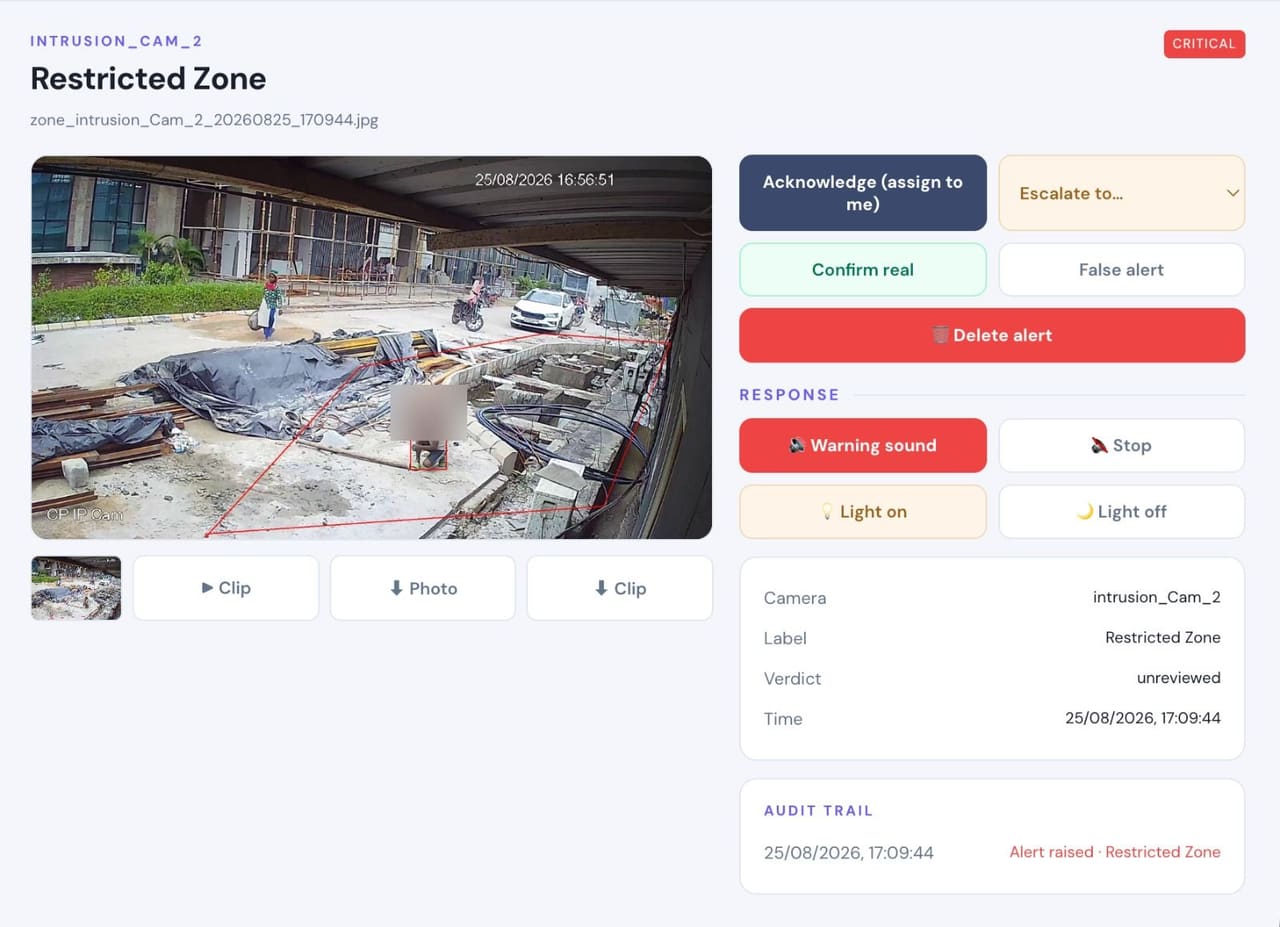
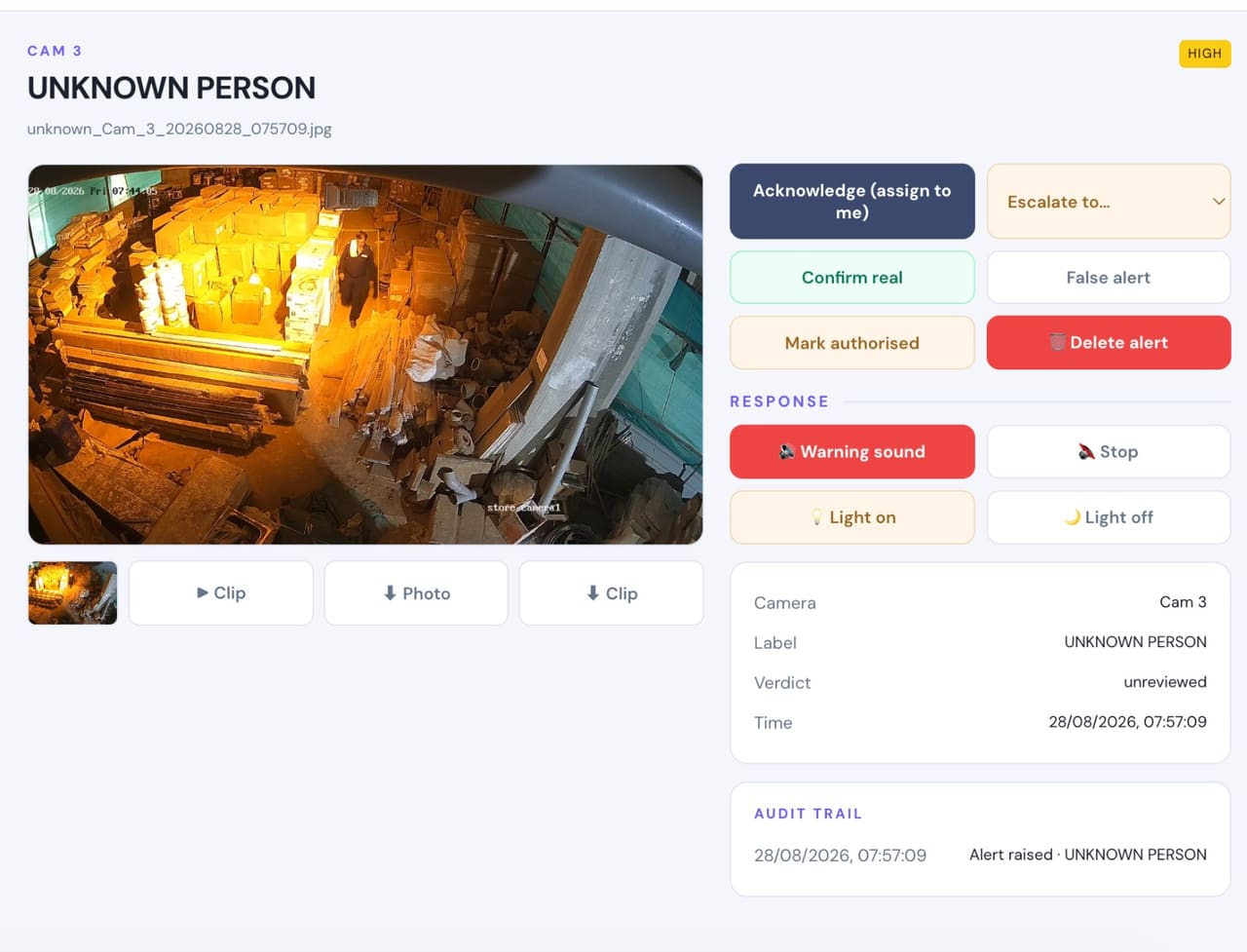
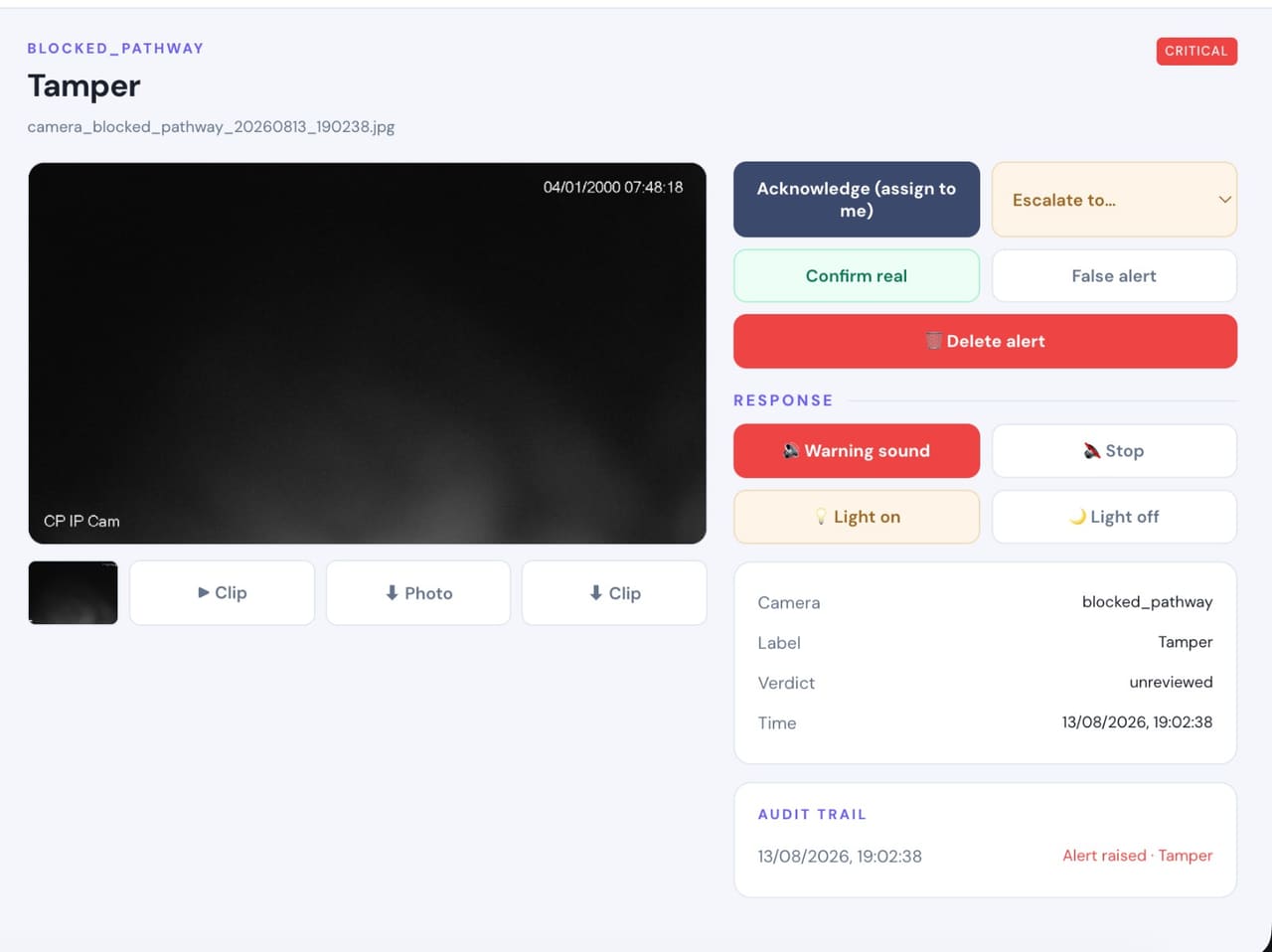
Real frames, not illustrations
From live customer deployments. Faces are blurred where the person would otherwise be identifiable, and names are removed.
How it fits your site
It runs on the cameras you have
PARVEK reads standard RTSP and ONVIF streams, directly or through your recorder. The recorder keeps recording exactly as before.
Processing stays on site
The appliance sits on your network and analyses the streams locally. Outbound notifications only; no inbound ports opened.
Placement and light decide the result
A boundary camera pointed along a fence in usable light will do this well. One mounted high, wide and unlit will not, regardless of settings. The survey says which you have before anything is committed.
Response hardware is wired at commissioning
Speakers, floodlights and sirens are driven from relay outputs on the appliance. What they are wired to is a site decision.
What you can enable on this workflow
Capabilities are selected per site during the survey. Nothing is on by default, and several depend on camera placement and lighting — which is what the survey establishes.
Detect
7Identify people, vehicles, objects and security events as they happen.
- Person Detection
- Vehicle Detection
- Fire & Smoke Detection
- Fall Detection
- Occupancy & Crowd Monitoring
- Footfall Counting & Dwell Time
- Intrusion & Restricted-Area Detection
Understand
6Add identity, context, movement and event intelligence to live video.
- Face Recognition
- Person Re-Identification
- Vehicle Identification
- License Plate Recognition
- Behavior & Context Analysis
- Identity-Aware Event Intelligence
Act
6Trigger alerts, sirens, speakers, lights, guard workflows and evidence when action matters.
- Real-Time Alerts
- Siren & Speaker Integration
- Floodlight & Response Integration
- Guard Workflows
- Mobile & Dashboard Notifications
- Evidence Clips & Reporting
One appliance. NVR + AI + management.
Camera streams, recording, playback, AI events, evidence clips, alerts, reports, users and roles and camera health — centralised in one appliance inside your premises. Faces, clips and reports stay on site.
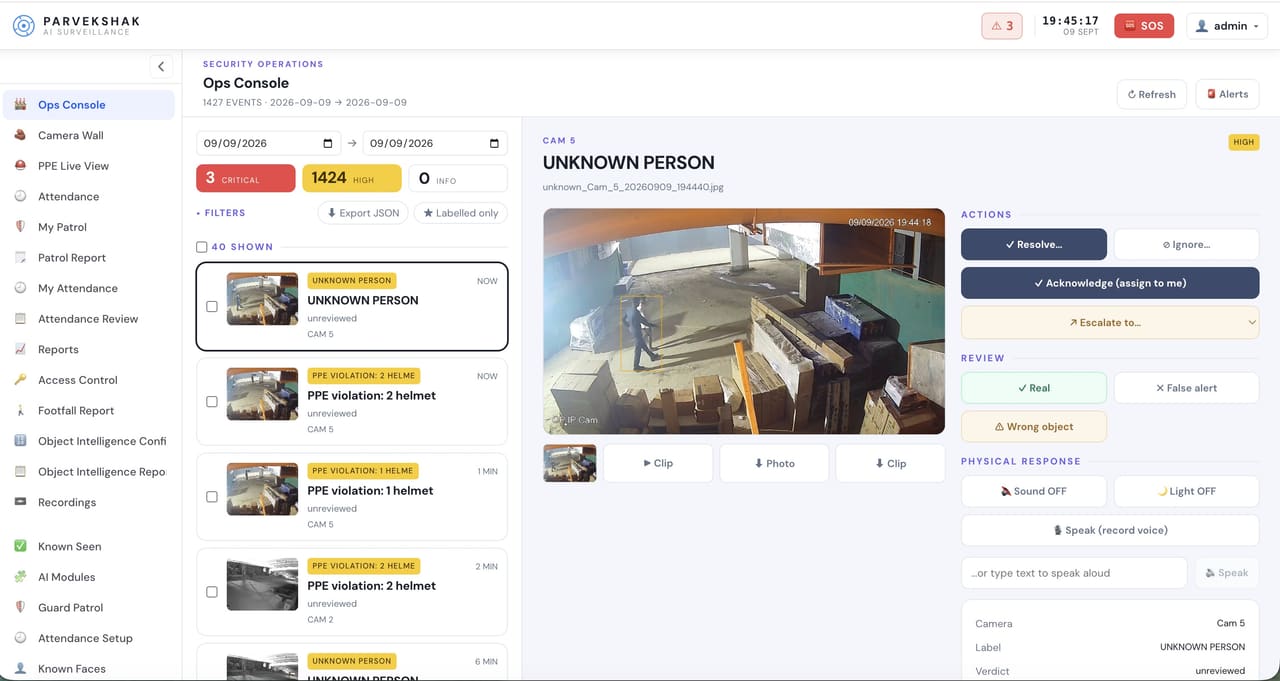
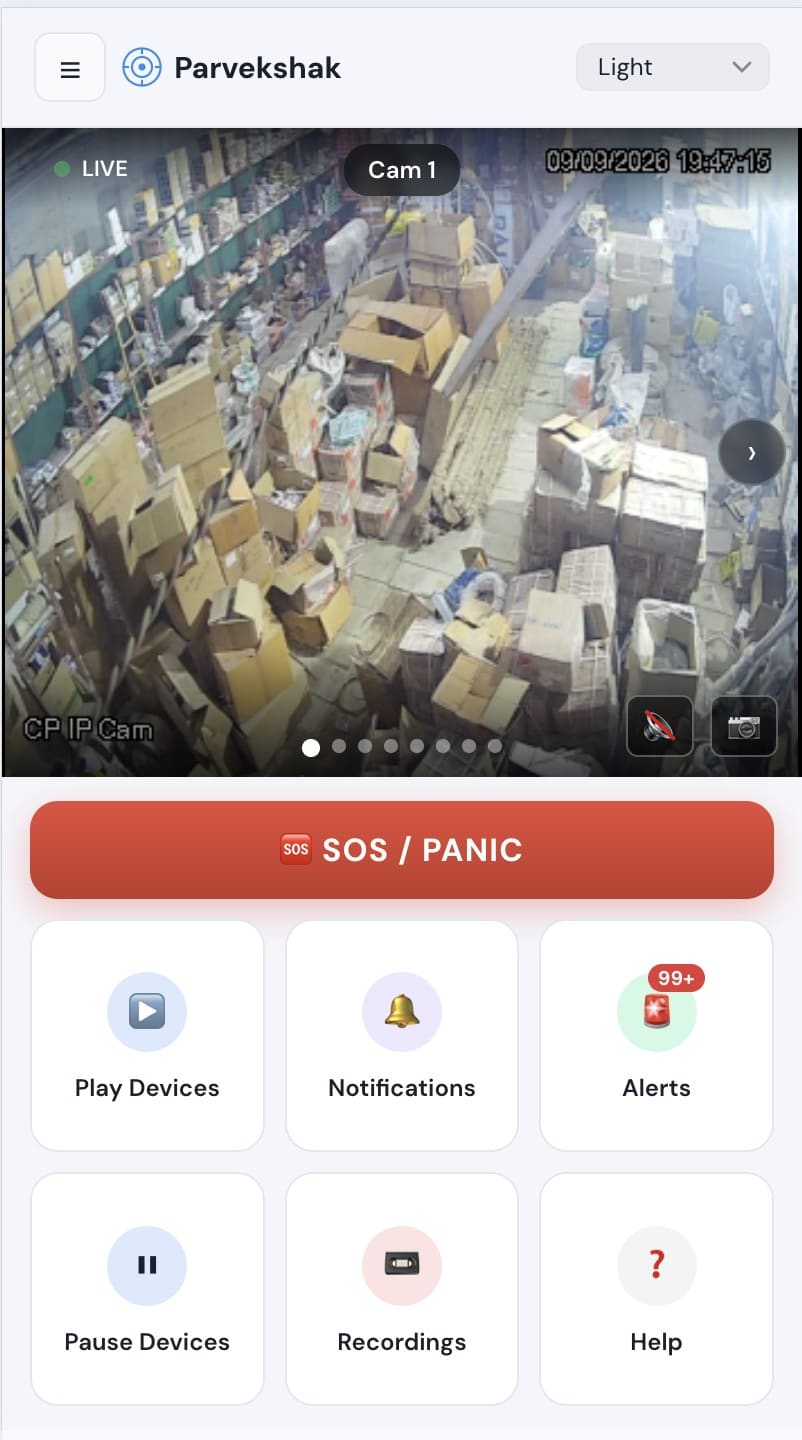
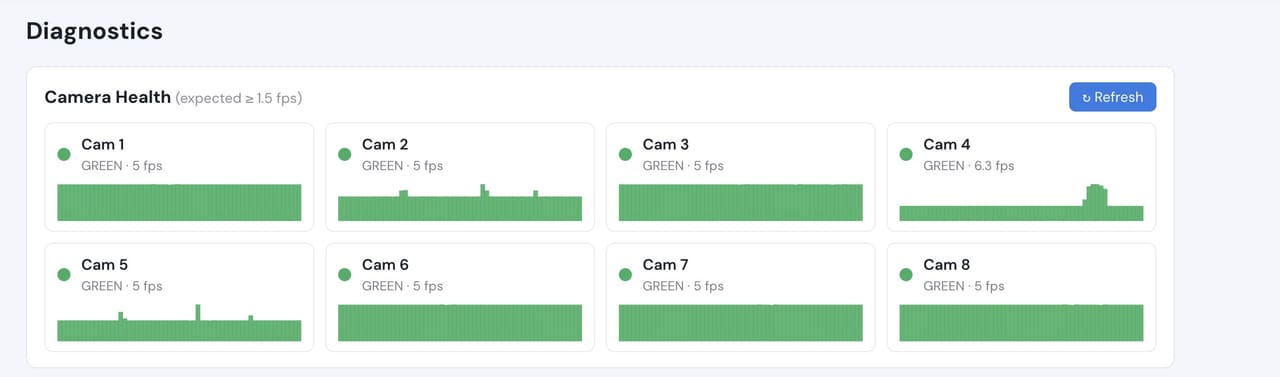
Camera count, retention and storage are specified per appliance configuration and confirmed during the assessment.
Prove it on your own cameras
The site survey comes first: your cameras, your areas, your hours and the use case you actually have. What comes out of it is a proof of concept running on your own footage, with agreed things to measure:
- Which boundary areas matter, and during which hours
- How many events a night each area actually produces
- Whether the camera covering each area gives a usable image after dark
- How quickly an event reaches the desk and the on-call phone
- What the lights and speakers should do, and where they already exist
Frequently Asked Questions
Do we have to replace our fence sensors or alarm panel?
No. PARVEK watches the same boundary on camera and raises its own events from what it sees. Where you already run perimeter sensors, they keep doing their job — the survey works out which camera covers each zone so the two can be used together.
Will this work at night?
It depends entirely on what the camera can see. A lit area, or a camera with usable infrared at the distance involved, works. A dark yard at the far end of a wide-angle lens does not, and no software setting changes that. This is the single most common thing the site survey finds, and it is better found before you buy than after.
Does weather set it off?
Rain, moving foliage and insects near the lens are the normal causes of boundary noise. PARVEK is looking for a person rather than for movement, which removes most of it, and the areas and hours are tuned during the proof of concept against what your site actually produces.
Can it talk to someone standing at the fence?
Where a speaker covers that area, yes — a recorded warning triggered by the event, or live talk-down from the console. Both depend on speakers being present or added at commissioning.
How do we find out whether our site is suitable?
Start with the site survey. It covers your camera list, placement, lighting and the areas you care about, and tells you what will and will not work before anything is proposed. From there, a proof of concept runs it on your own cameras.
PARVEK also supports
Access Control Video Verification
Match the badge against the person at the door, and keep the footage that shows which it was.
Industrial Security
Visual context for operational and safety alerts on a working plant, using the cameras already there.
Security Operations
Every event arrives with the frame that caused it, in a queue your team can work — acknowledge, resolve or escalate.
AI surveillance and analytics are technology-assisted and do not guarantee prevention or detection of every security incident or 100% accuracy.