Bring visual context to industrial and operational alerts.
An industrial site generates alerts all day from systems that cannot see. PARVEK adds the one thing they are missing — the picture of the area at that moment — using the cameras already installed across the plant, with the processing running on site.
What the workflow looks like today
The alert has no picture attached
A fault, a stoppage or a zone alert tells the control room a state changed. Someone still has to walk out and look, or find the camera and scrub back to the right minute.
Cameras are everywhere and watched by nobody
A plant that has accumulated cameras over a decade usually has good coverage and no one with the time to monitor it. The footage is used after incidents, not during them.
The areas that matter are the ones nobody walks past
Plant rooms, roof access, chemical stores, conveyor runs and yard corners are exactly where an unnoticed event becomes an expensive one.
What changes in practice
Restricted and operational areas, watched continuously
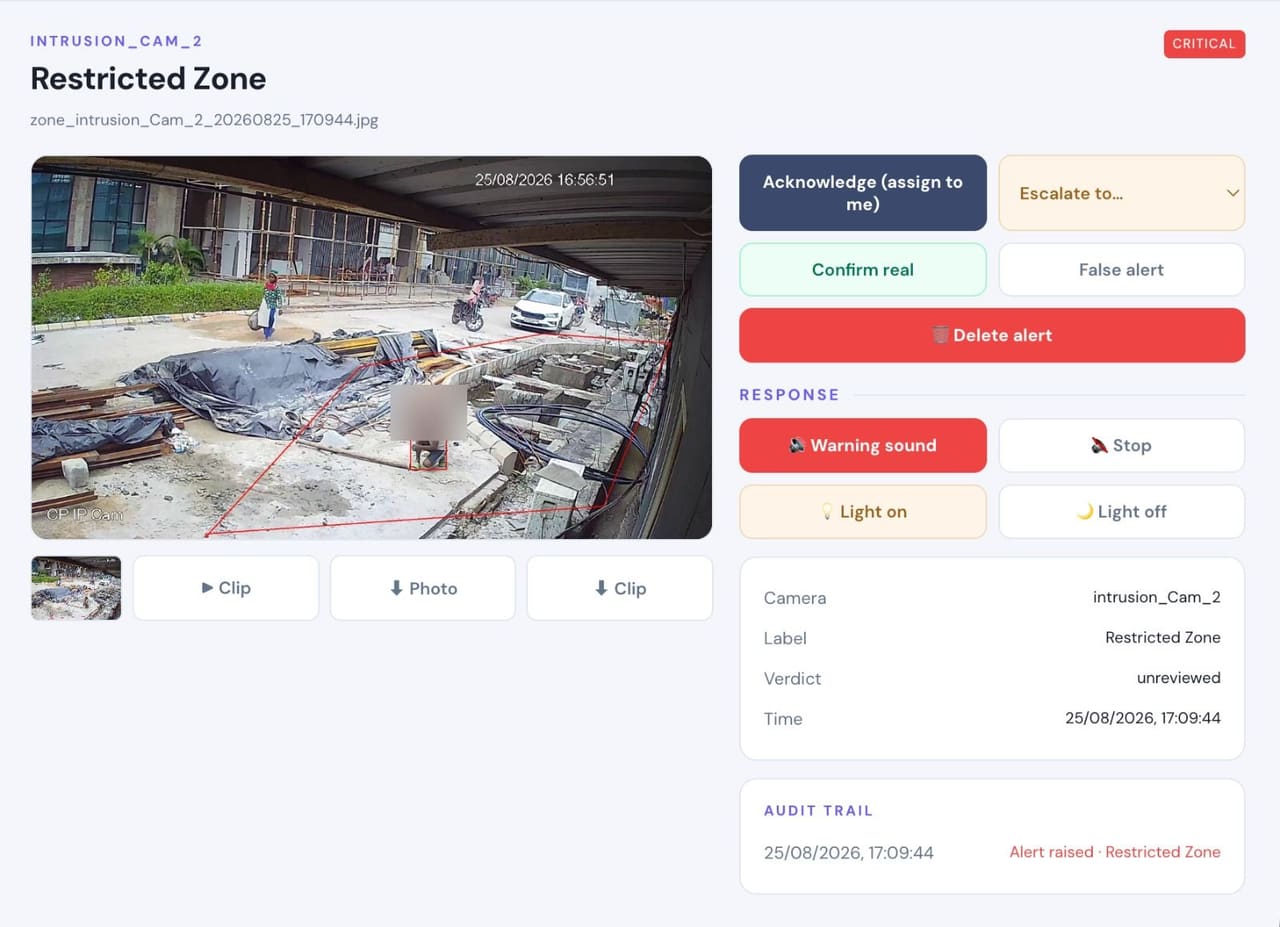
Areas are marked on the camera view with the hours they are off limits — so a person on a conveyor run or in a plant room out of hours becomes an event rather than a thing found later.
People, vehicles and movement across the site
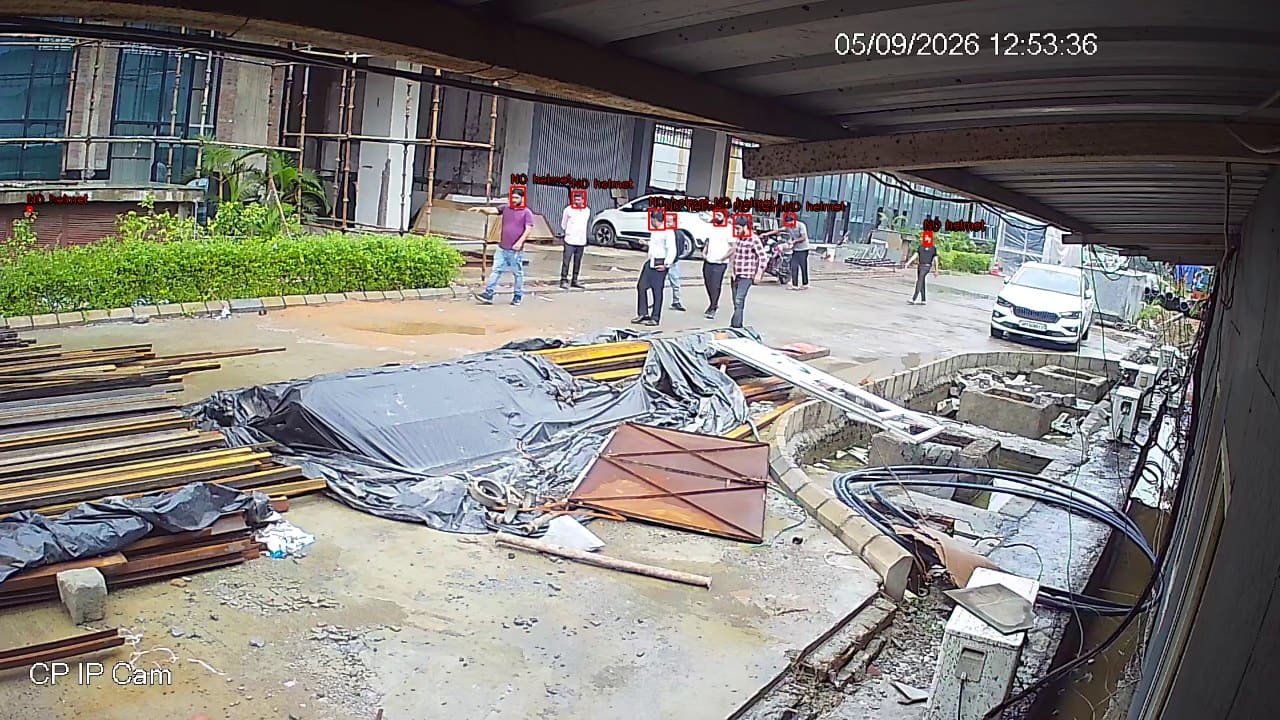
Person and vehicle detection, occupancy and counting, and movement between areas — the operational picture a plant has cameras for but no capacity to watch.
Response where the event is
A voice announcement in that area, a light, a relay-driven device, and the event at the control room desk with the frame attached.
Evidence that holds up afterwards
Every event carries its frame, clip, camera and time, retained on the appliance for the incident review or the report.
What raises an event on this workflow
Which of these apply to your site, and which cameras can carry them, is what the site survey establishes before anything is proposed.
From the event to the response
Something happens in an area
A person enters a plant room at 23:40, outside the permitted window.
PARVEK raises it with the frame
The detection, the camera, the area and the time, captured together.
The area responds
A spoken announcement in that room, a light, or a silent alert where announcing it would be the wrong move.
The control room sees it
The event reaches the console and the nominated phones while it is still happening.
It is kept for the review
Frame, clip and context retained on the appliance for the incident report.
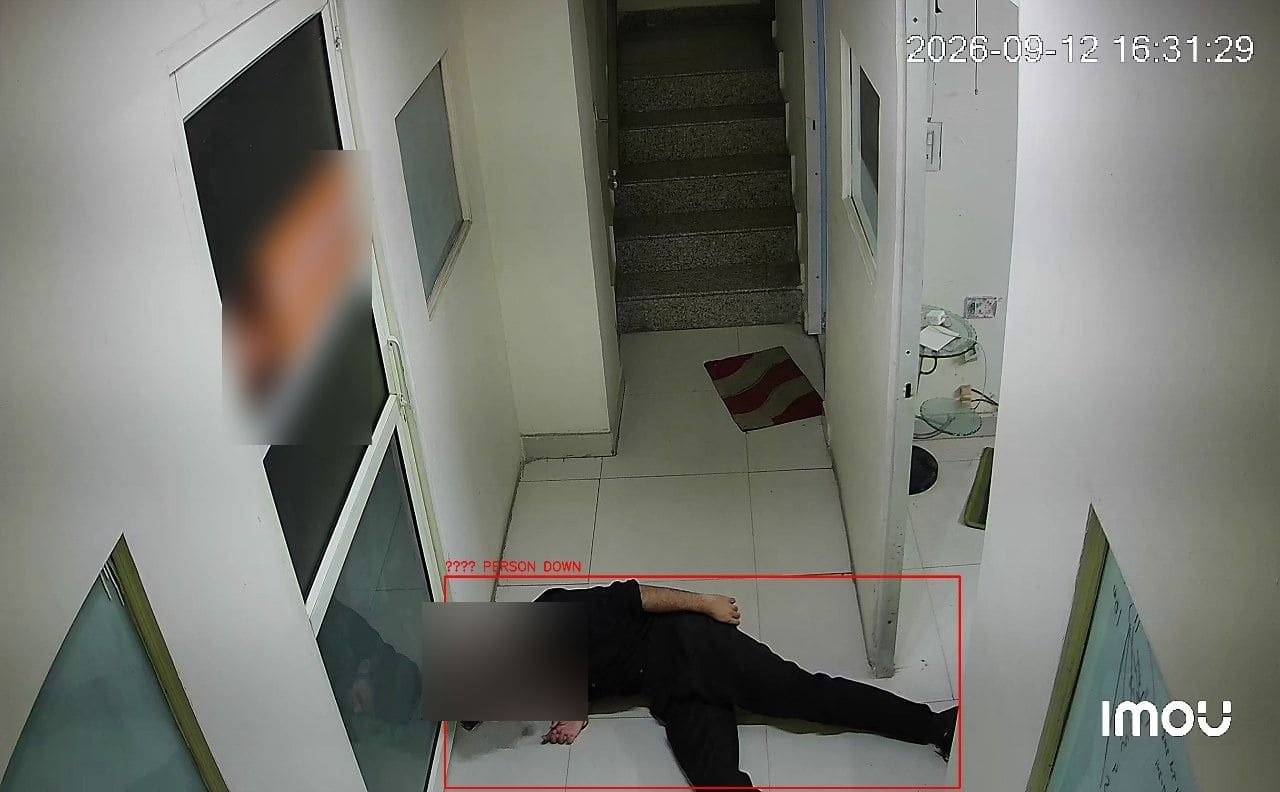
Real frames, not illustrations
From live customer deployments. Faces are blurred where the person would otherwise be identifiable, and names are removed.
How it fits your site
Built around the cameras already on the plant
Standard RTSP and ONVIF streams, read directly or through existing recorders. Mixed estates are normal and expected.
The appliance runs on site
Analysis happens locally on your network. For multi-site operations, each site runs its own appliance.
Industrial conditions are the hard part
Dust, steam, vibration, glare and night lighting all affect what a camera can resolve. The survey establishes this per camera before any capability is promised.
Safety systems stay authoritative
PARVEK supplements them with visual context. It is not a certified safety or life-safety device and does not replace one.
What you can enable on this workflow
Capabilities are selected per site during the survey. Nothing is on by default, and several depend on camera placement and lighting — which is what the survey establishes.
Detect
7Identify people, vehicles, objects and security events as they happen.
- Person Detection
- Vehicle Detection
- Fire & Smoke Detection
- Fall Detection
- Occupancy & Crowd Monitoring
- Footfall Counting & Dwell Time
- Intrusion & Restricted-Area Detection
Understand
6Add identity, context, movement and event intelligence to live video.
- Face Recognition
- Person Re-Identification
- Vehicle Identification
- License Plate Recognition
- Behavior & Context Analysis
- Identity-Aware Event Intelligence
Act
6Trigger alerts, sirens, speakers, lights, guard workflows and evidence when action matters.
- Real-Time Alerts
- Siren & Speaker Integration
- Floodlight & Response Integration
- Guard Workflows
- Mobile & Dashboard Notifications
- Evidence Clips & Reporting
One appliance. NVR + AI + management.
Camera streams, recording, playback, AI events, evidence clips, alerts, reports, users and roles and camera health — centralised in one appliance inside your premises. Faces, clips and reports stay on site.
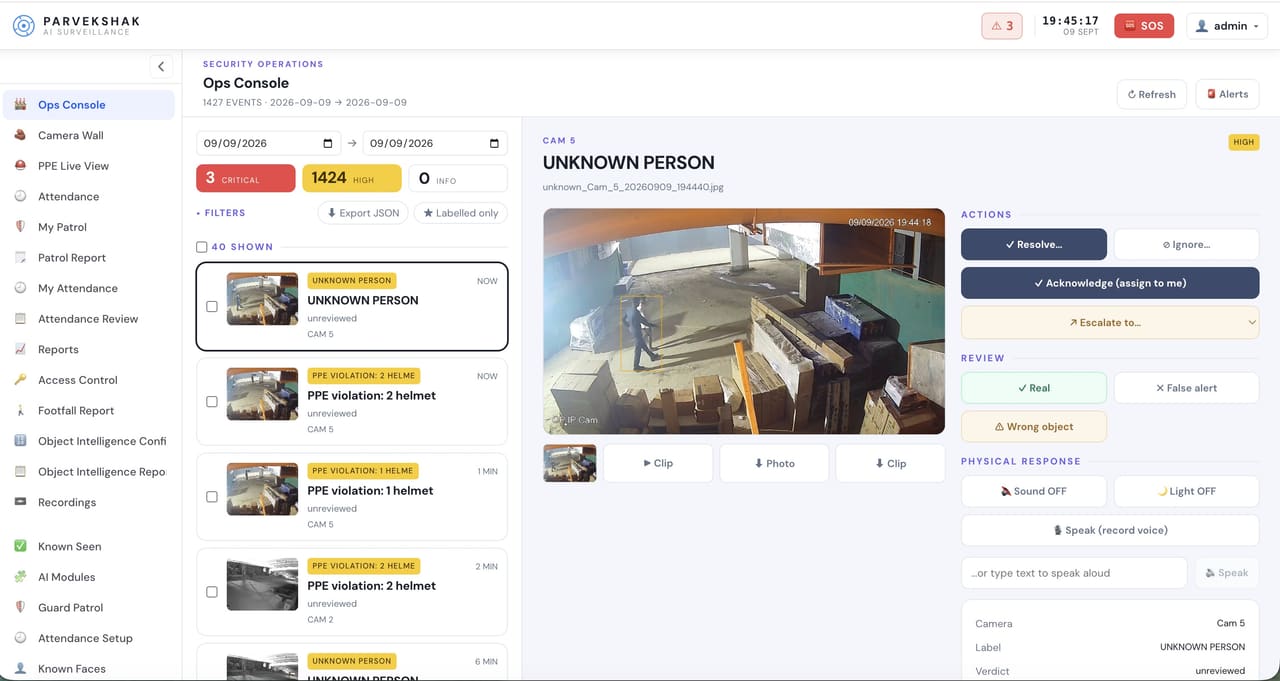
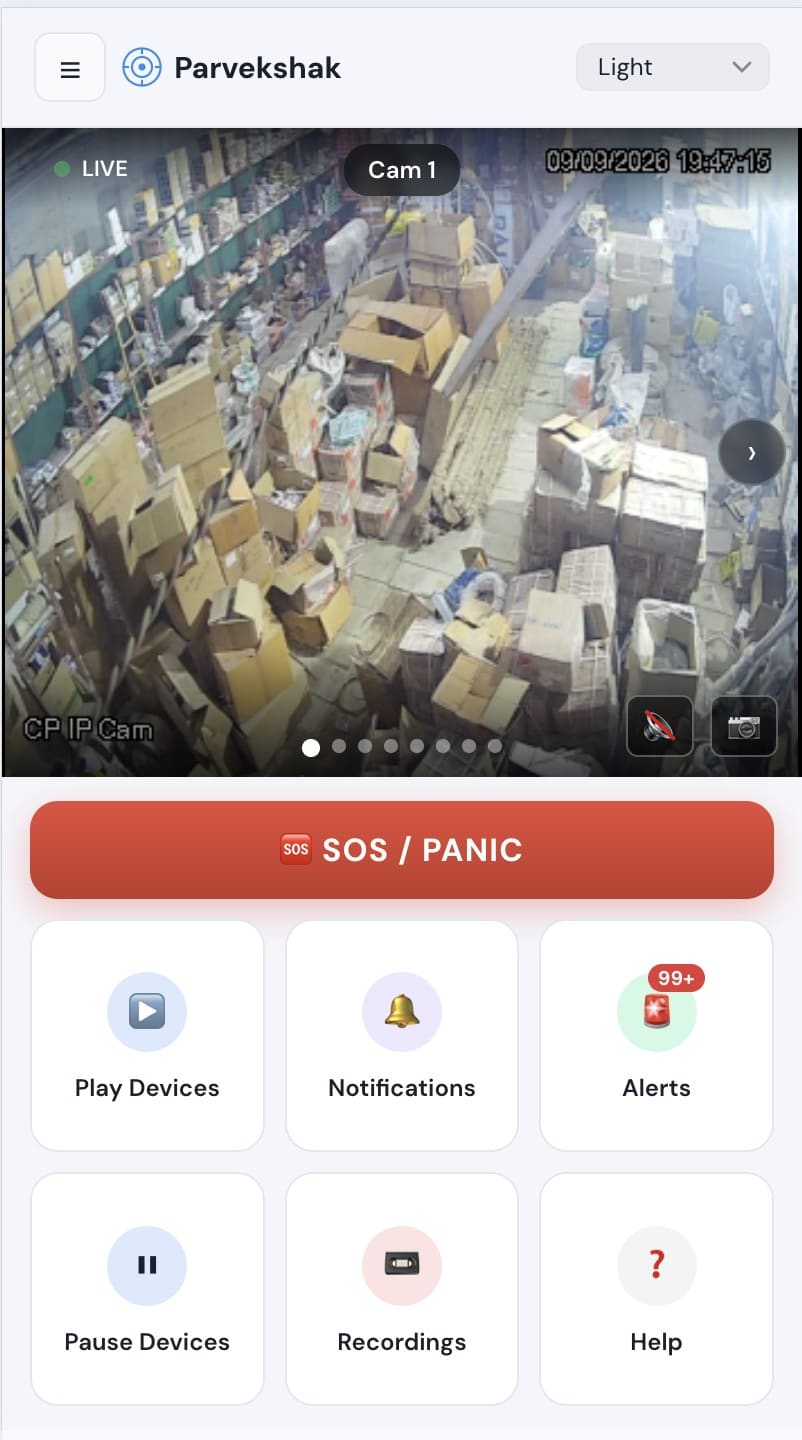
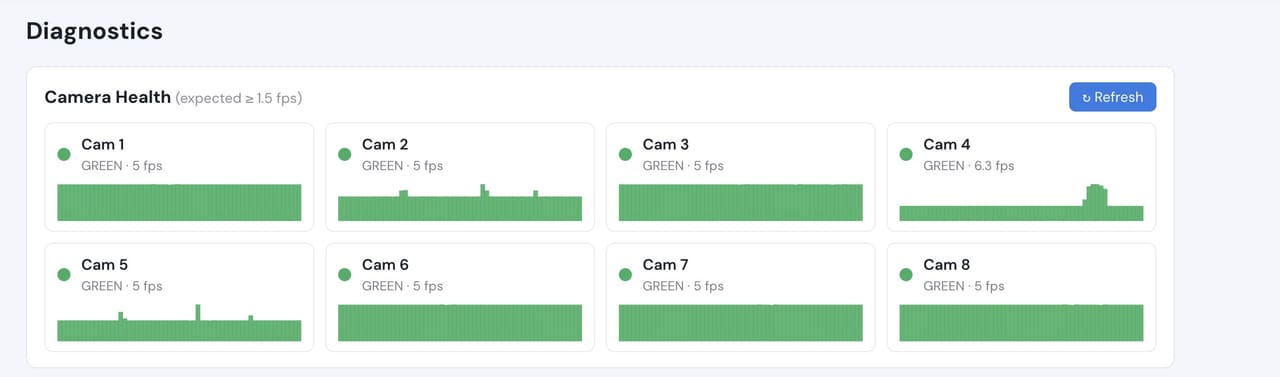
Camera count, retention and storage are specified per appliance configuration and confirmed during the assessment.
Prove it on your own cameras
The site survey comes first: your cameras, your areas, your hours and the use case you actually have. What comes out of it is a proof of concept running on your own footage, with agreed things to measure:
- Which areas and hours actually need watching
- Which existing cameras can resolve what is needed, and which need moving or relighting
- Event volume per area over a working week, including shift changes
- Whether announcements and lights are the right response in each area
- Who receives what, and how fast it reaches them
Frequently Asked Questions
Does PARVEK connect to our PLC or SCADA system?
Not as a shipped connector, and we will not claim otherwise. PARVEK generates its own events from the cameras on site, which is what most plants actually need. If you want operational alerts from a control system brought together with video, that is worked out with you during the survey, against the specific system you run rather than assumed.
Can this replace our fire or gas detection?
No, and it should not be positioned that way. Certified life-safety and process-safety devices remain authoritative. PARVEK can add visual context around an area, but it is not a substitute for certified detection and we do not sell it as one.
Our cameras are old and the estate is mixed. Does that matter?
Mixed estates are the normal case, and reading standard streams rather than vendor SDKs is what makes them workable. What matters more than age is placement, resolution at the distance involved and lighting. The survey tells you which of your cameras are usable as they are.
Will dust, steam and glare break it?
They degrade what any camera can resolve, and the honest answer is that it varies by location. This is exactly what a proof of concept on your own cameras is for — it shows you the real behaviour in your conditions rather than a number from someone else’s site.
We run several plants. How does that work?
Each site runs its own appliance with processing local to it, and events roll up to the people who need them with role-based access per site. Multi-site structure is part of what the survey covers.
PARVEK also supports
Access Control Video Verification
Match the badge against the person at the door, and keep the footage that shows which it was.
Perimeter & Intrusion
See what crossed the line, while it is still happening — with the frame, the clip and a response in the area itself.
Security Operations
Every event arrives with the frame that caused it, in a queue your team can work — acknowledge, resolve or escalate.
AI surveillance and analytics are technology-assisted and do not guarantee prevention or detection of every security incident or 100% accuracy.