A branch network is many small sites with the same handful of controlled spaces in each: the cash office, the secure room, the back entrance. The question is always the same — who went in, when, and can you show it.
A network of small estates rather than one large one, which changes both the deployment and the cost shape.
The controlled space is small and well defined
Cash office, secure room, service door. That makes configuration tight and event volume naturally low.
Evidence has to survive scrutiny
Audit, dispute and investigation all need the footage attached to the event rather than found later on a timeline.
Scenarios
From the trigger to the evidence
Which of these apply to you, and which cameras can carry them, is what the site survey
establishes before anything is proposed.
01
Entry to the cash office
Trigger
A badge opens the cash office, in or out of hours.
Camera context
The camera covering the door captures the frame at the read.
Operator review
Whether the person matches the credential on record.
What happens next
Logged with the frame and the clip, retained for the period your policy sets.
02
After-hours presence in the branch
Trigger
A person detected inside a marked area when the branch is closed.
Camera context
The detection frame with the area drawn on it.
Operator review
Cleaner, engineer, or unexplained.
What happens next
Alert to the on-call manager with the clip attached.
03
Activity at the rear or service entrance
Trigger
Movement at a back door outside permitted hours.
Camera context
The doorway camera at the moment of detection.
Operator review
A judgement made from the picture, in seconds.
What happens next
Escalation to the nominated responders, evidence retained.
04
A branch camera goes dark
Trigger
A camera is obscured, moved or stops streaming.
Camera context
The last usable frame and the time it stopped.
Operator review
Raised centrally rather than noticed on the next visit.
What happens next
A fix scheduled before an incident finds the gap.
How PARVEK Fits
Built around what you already run
One appliance per branch, rolled up centrally
Each site processes locally; events reach the regional team with role-based access per branch.
Reads the cameras and recorder already installed
Standard RTSP and ONVIF, with the recorder left doing exactly what it does now.
Access integration against your platform
Door events read from your existing system during onboarding. PARVEK never controls a door.
Evidence stays on your premises
Frame, clip, camera and time retained on the appliance for the period you set.
Capabilities
What you can enable here
Capabilities are selected per site during the survey. Nothing is on by default, and several depend on camera placement and lighting — which is what the survey establishes.
Camera streams, recording, playback, AI events, evidence clips, alerts, reports, users and roles
and camera health — centralised in one appliance inside your premises. Faces, clips and reports
stay on site.
InputIP / Wi-Fi / compatible existing cameras
→
NetworkPoE / network
→
On premisesPARVEK ApplianceRecording · AI detection & rules · management
→
Mobile alertVoice warningLight / floodlightSiren / hooterEvidence clipReports
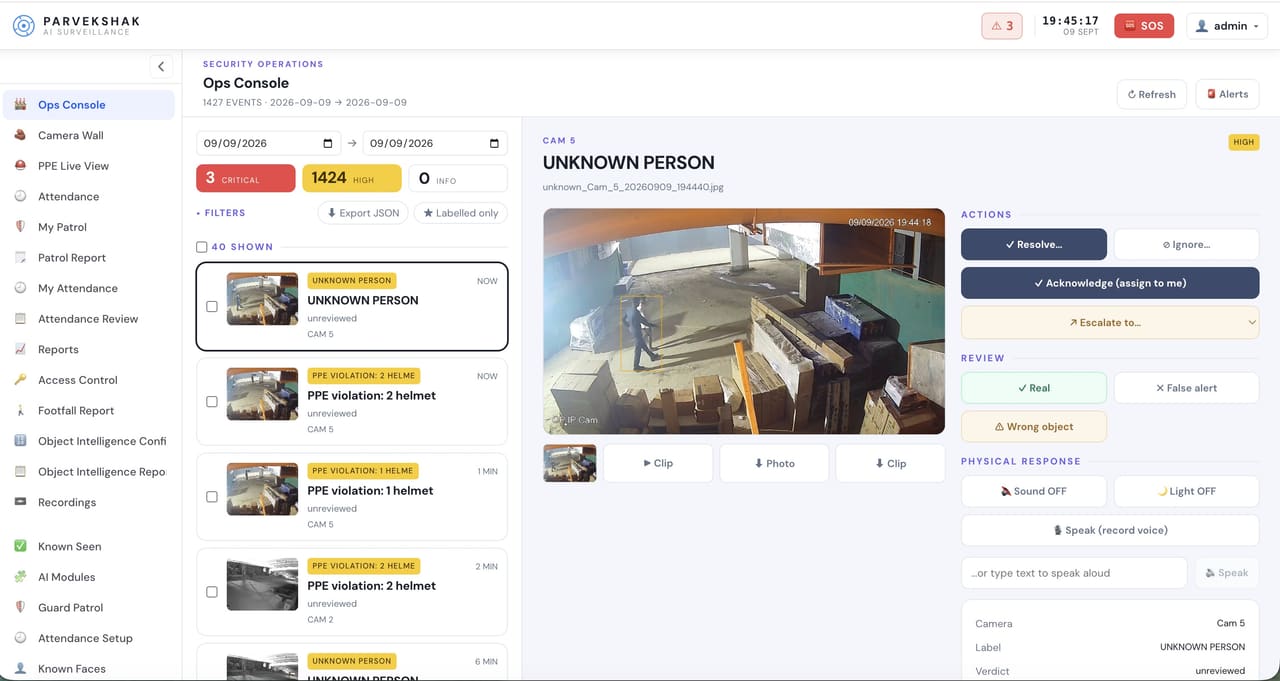
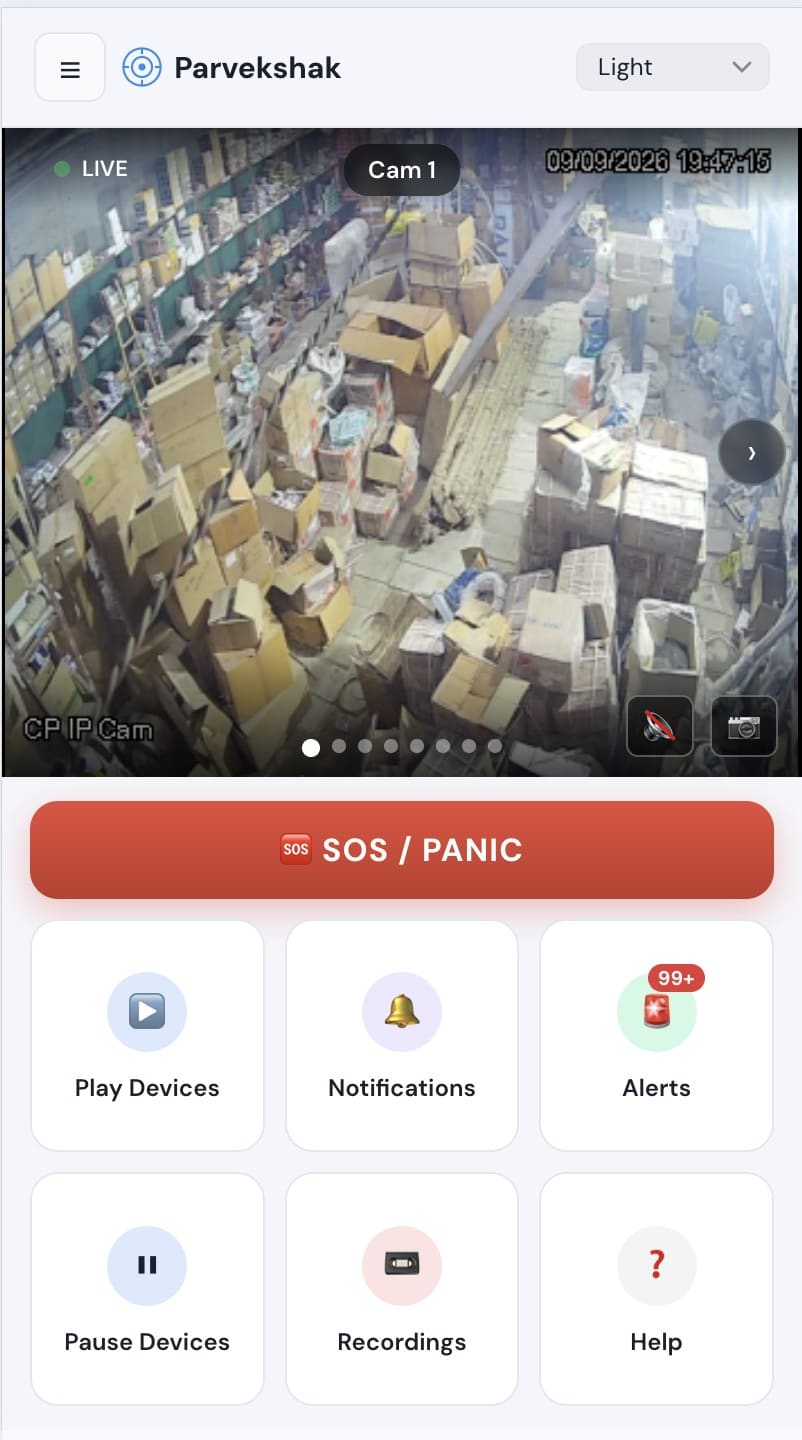
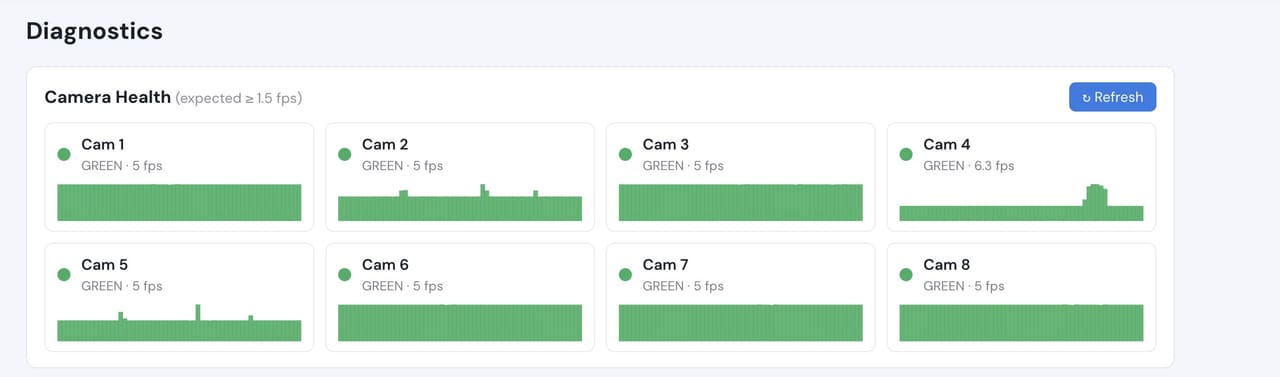
Ops console — events, evidence and response in one placeMobile app — live view, alerts and SOSCamera health — offline and degraded cameras flagged
Camera count, retention and storage are specified per appliance configuration and confirmed
during the assessment.
We do not publish improvement percentages, because none have been measured across a fleet
and yours would not match them anyway. What a bounded proof of concept gives you is your
own numbers, on your own footage:
Controlled-room entries per branch per week, and how many are exceptions
Median time from an event to the relevant footage being on screen
Whether each controlled-door camera resolves a face at the reader
Time to produce an evidence pack for a dispute or audit
How the rollout economics look per branch at your real camera counts
Each branch runs its own appliance and processes locally, with events and roles rolled up centrally. The survey works out the per-branch shape first, because a network multiplies both the cost and any configuration mistake.
Does PARVEK control access to the cash office?
No. It reads door events and pairs them with footage. Locking and unlocking stays entirely with your access-control system.
What about the public area of the branch?
That is usually left out of configuration. The value concentrates on the controlled rooms and the out-of-hours window, where event volume is low and evidence matters most.
Can we retain evidence longer for disputes?
Retention is a site decision, bounded by storage on the appliance. It is sized during the assessment against the period your policy requires.
AI surveillance and analytics are technology-assisted and do not guarantee prevention or detection of every security incident or 100% accuracy.
Start with a site survey
Tell us what the site is, what it runs and what you need it to catch. The survey establishes whether your cameras can carry the use case — and from there, a proof of concept runs it on your own footage.