AI Video Security for Warehouses & Logistics Sites
Large facilities are too big to watch. Dock doors, staging areas, high-value cages, yards and trailer parking all need eyes at once, and a single desk cannot give them. PARVEK runs detection across the cameras already covering them and raises only what matters.
Built around how this site actually fails
Dock & staging activity
Movement at dock doors and staging areas outside the hours it should be happening, with the clip attached.
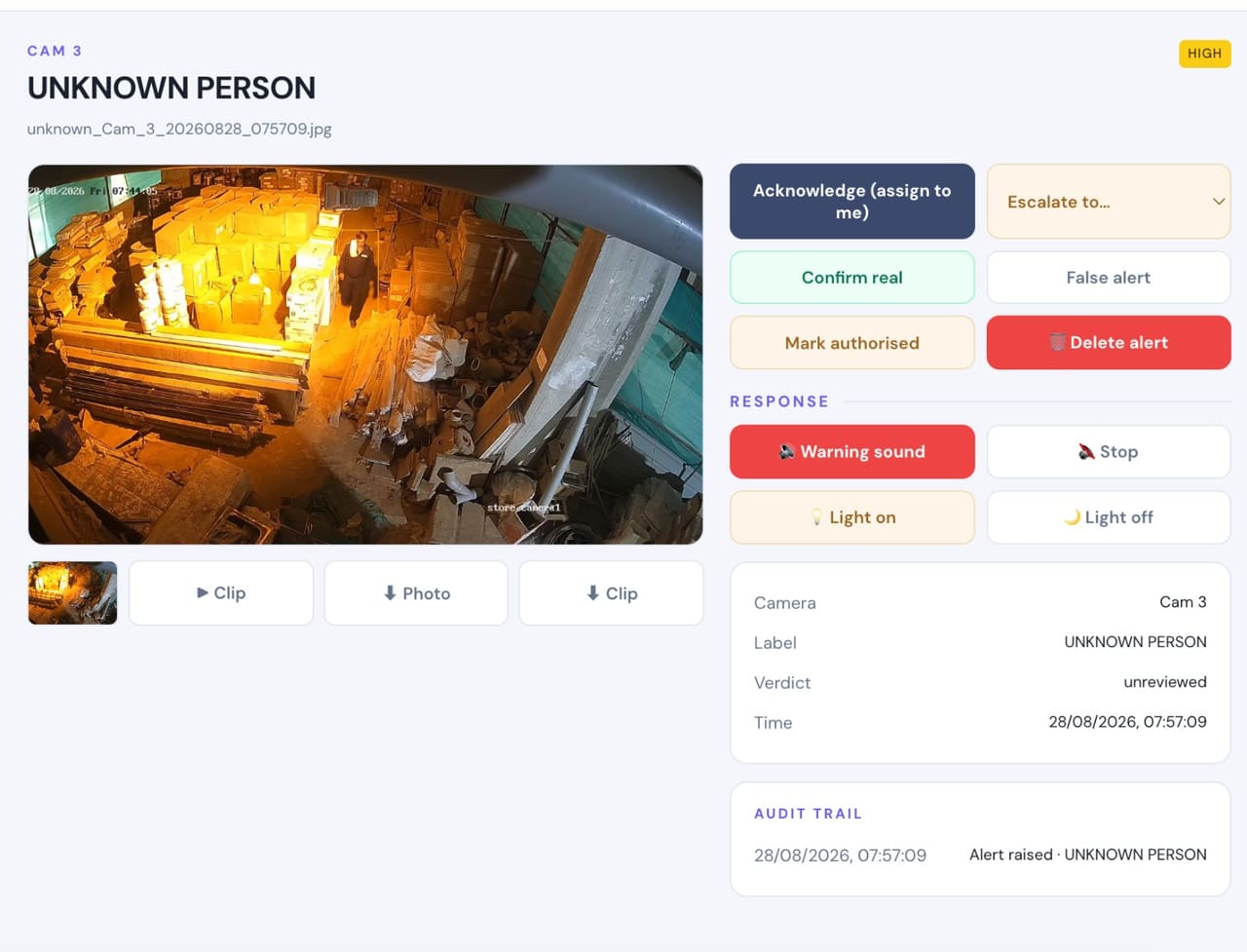
Restricted racks & cages
High-value storage marked as an area, with permitted hours and who may be in it.
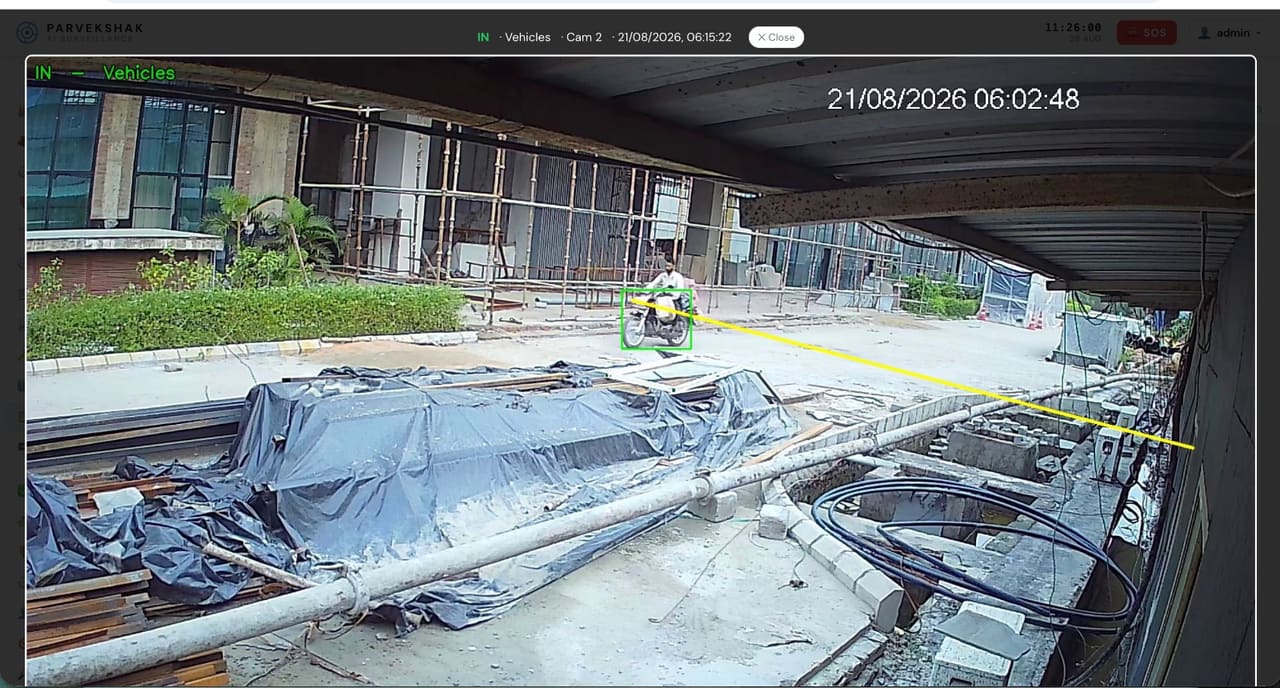
Yard & trailer movement
Vehicles entering and leaving, counted with a timestamped frame per crossing and license-plate capture where the camera suits it.
Perimeter after hours
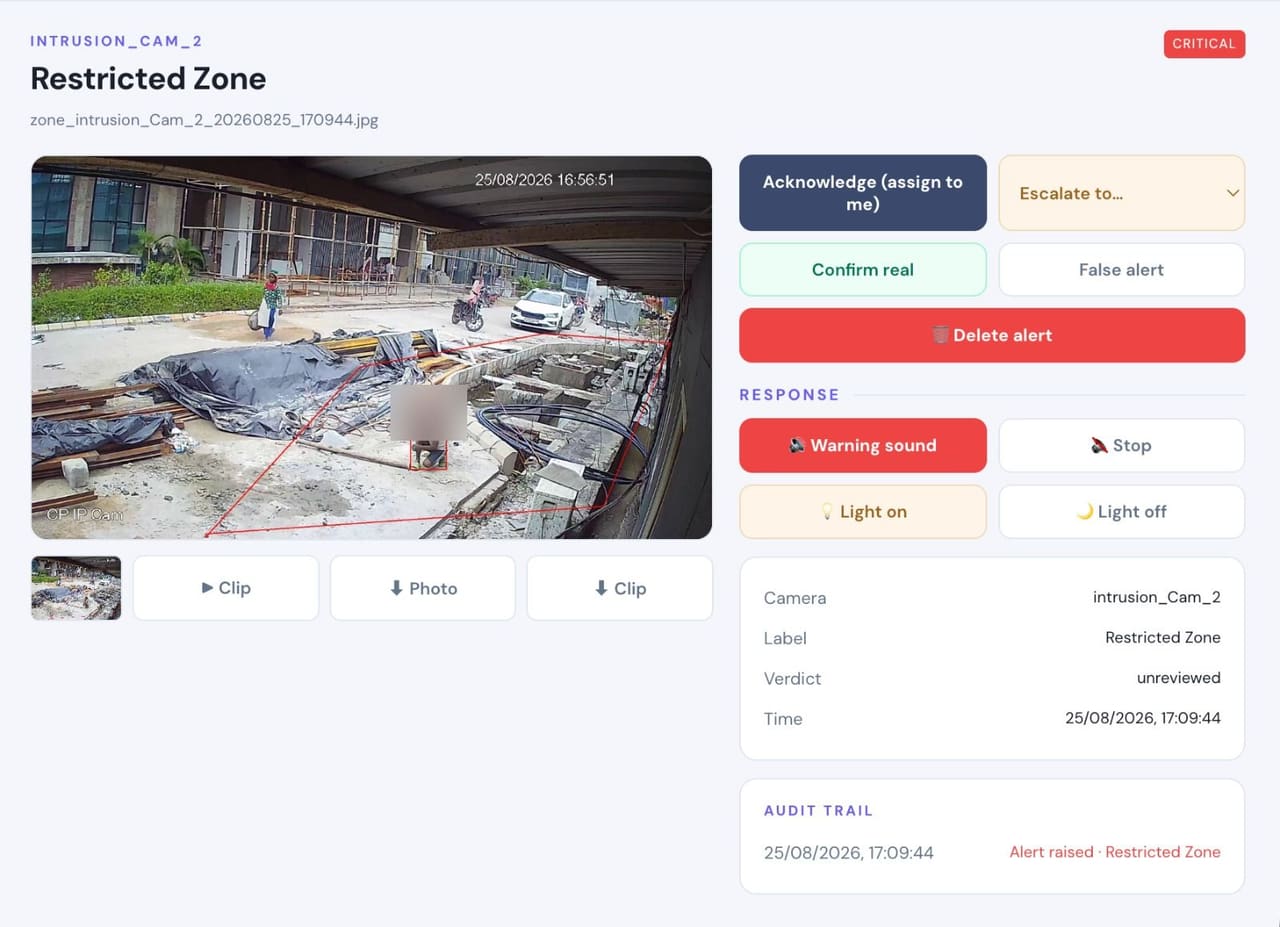
Fence lines, rear gates and service entries watched when the facility is empty.
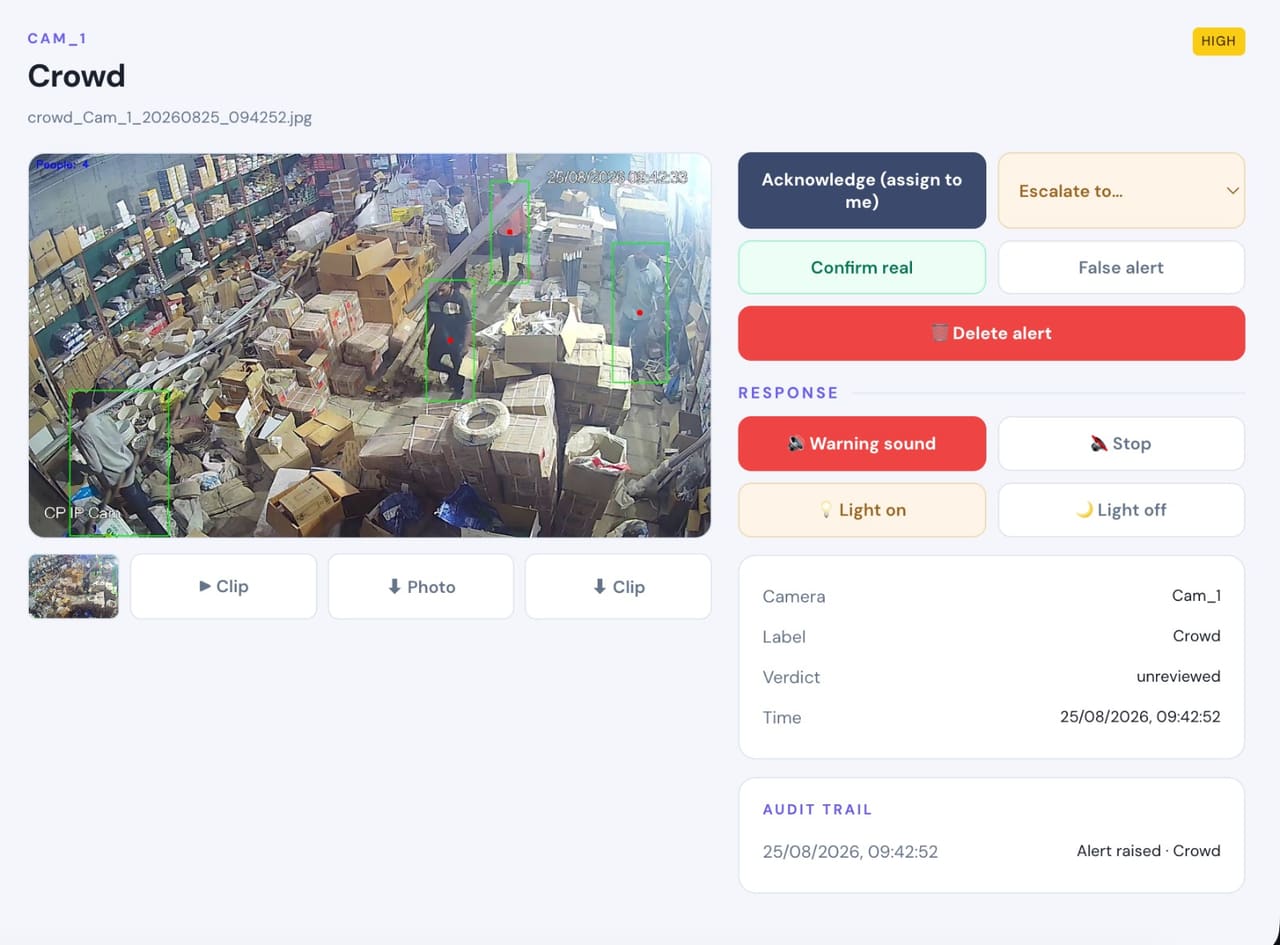
Occupancy in work areas
Headcount limits where crowding is a safety or throughput problem.
Fall detection across the floor
A person down in an aisle or a quiet corner of a large building, raised immediately.
Real frames, not illustrations
From live customer deployments. Faces are blurred where the person would otherwise be identifiable, and names are removed.
What you can enable here
Capabilities are selected per site during the assessment. Nothing is on by default, and several depend on camera placement and lighting — which is what the assessment establishes.
Detect
6Identify people, vehicles, objects and security events as they happen.
- Person Detection
- Vehicle Detection
- Fire & Smoke Detection
- Fall Detection
- Occupancy & Crowd Monitoring
- Intrusion & Restricted-Area Detection
Understand
6Add identity, context, movement and event intelligence to live video.
- Face Recognition
- Person Re-Identification
- Vehicle Identification
- License Plate Recognition
- Behavior & Context Analysis
- Identity-Aware Event Intelligence
Act
6Trigger alerts, sirens, speakers, lights, guard workflows and evidence when action matters.
- Real-Time Alerts
- Siren & Speaker Integration
- Floodlight & Response Integration
- Guard Workflows
- Mobile & Dashboard Notifications
- Evidence Clips & Reporting
One appliance. NVR + AI + management.
Camera streams, recording, playback, AI events, evidence clips, alerts, reports, users and roles and camera health — centralised in one appliance inside your premises. Faces, clips and reports stay on site.
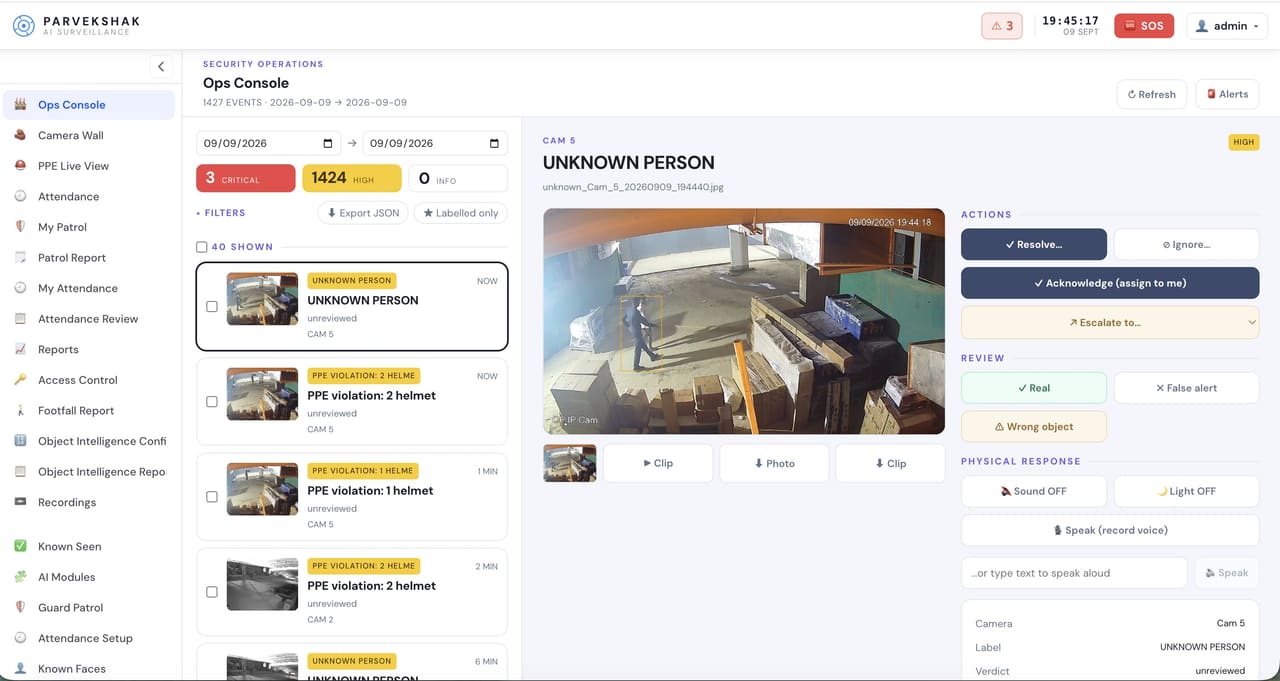
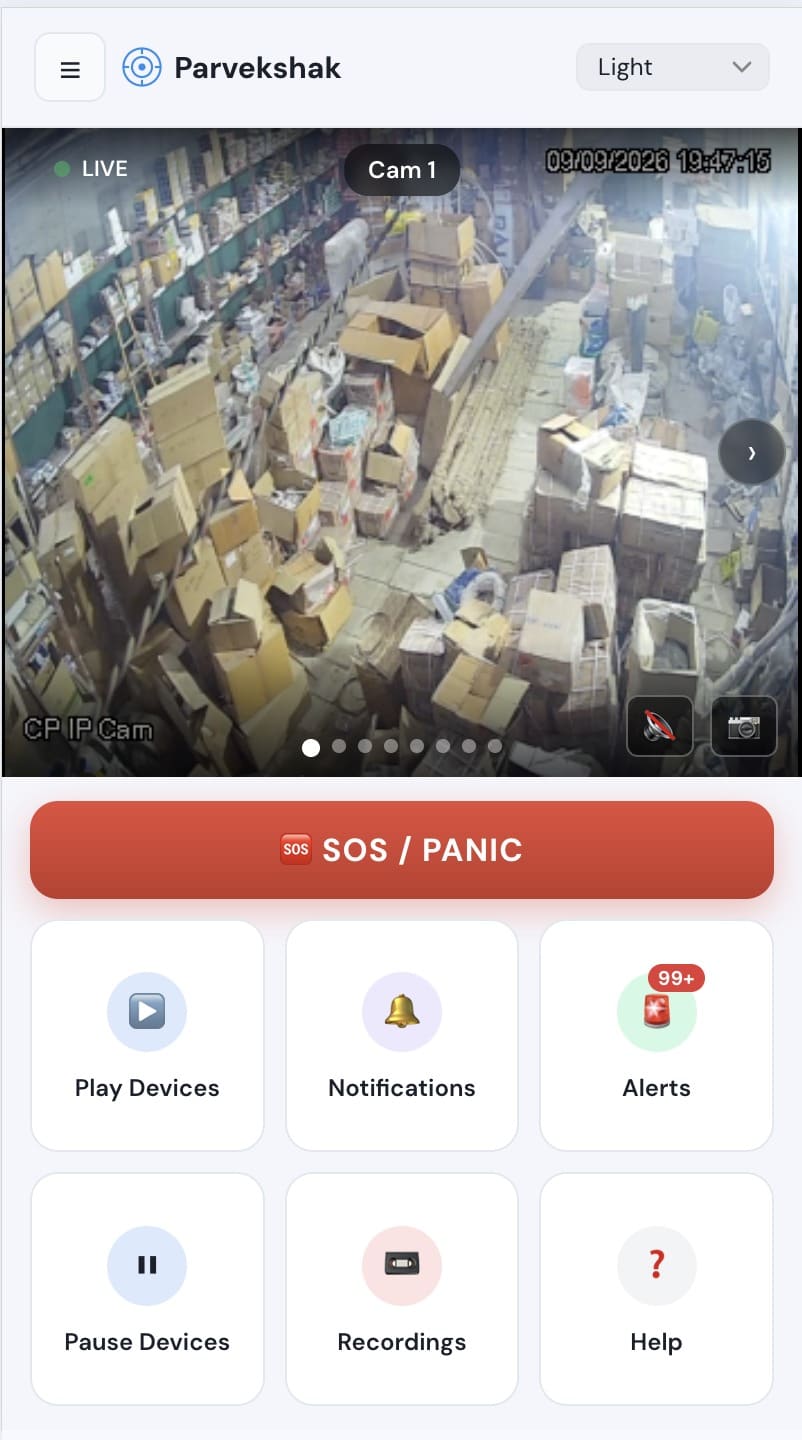
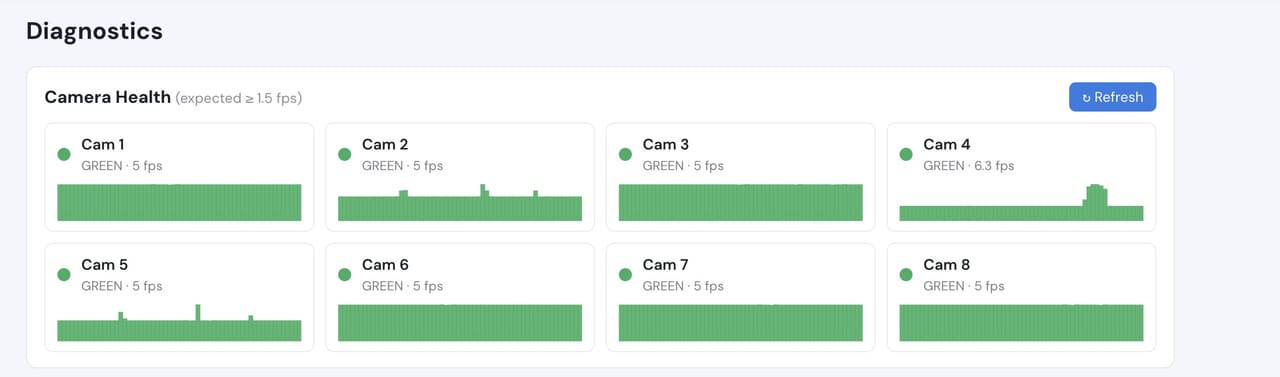
Camera count, retention and storage are specified per appliance configuration and confirmed during the assessment.
Frequently Asked Questions
Our site is large and partly unlit. Does that matter?
Yes, and it is the single most common limitation. Detection follows what the camera can see; where lighting is the constraint the honest fix is a floodlight, which can then double as the response. We identify those locations during the assessment.
Can it reconcile movement against our paperwork?
Vehicle and line-crossing events are timestamped and logged with a frame, so gate and dock activity can be compared against your records. It is evidence for a discrepancy, not a replacement for your WMS.
How many cameras can it handle?
That is a configuration question — camera count, resolution, retention and which capabilities run all affect it. The appliance is specified after the assessment.
Can we start with one area?
Yes, and on a large site it is usually the sensible route: run detection where incidents actually happen, judge it on your own footage, then extend.
PARVEK also runs on
Homes & Residential
Intelligent protection for homes, villas and residential communities using the cameras already installed.
Business & Office
Real-time visibility across entrances, workspaces, parking and sensitive areas.
Manufacturing & Industry
Add AI intelligence to existing industrial camera networks for safety, security and operational awareness.
Critical & High-Security Sites
Local AI, event intelligence and response workflows for environments where timely action matters.
AI surveillance and analytics are technology-assisted and do not guarantee prevention or detection of every security incident or 100% accuracy.