AI Video Security for Offices & Commercial Facilities
Offices, clinics, retail and commercial floors share a problem: sensitive rooms, valuable assets and a constant flow of staff, visitors and contractors that one desk cannot watch. PARVEK adds detection to the cameras already there and keeps every face and clip inside the building.
Built around how this site actually fails
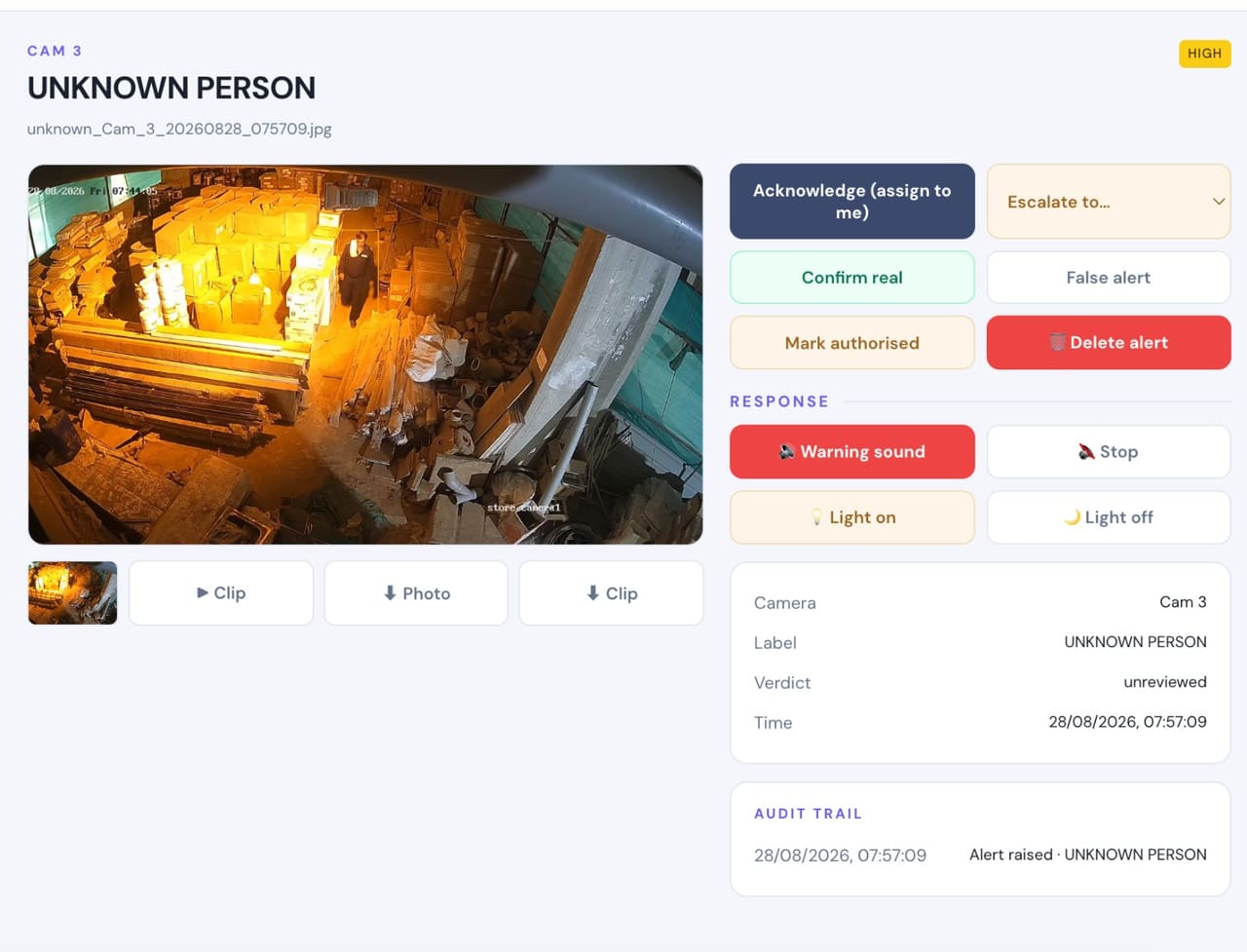
Unknown people at the entrance
Every face checked against the staff and contractors you have enrolled. Someone not on that list, at an hour they should not be there, is flagged as it happens.
Staff-only rooms, enforced by time
Server rooms, records rooms and cash offices marked as areas, with permitted hours and a named list of who may enter.
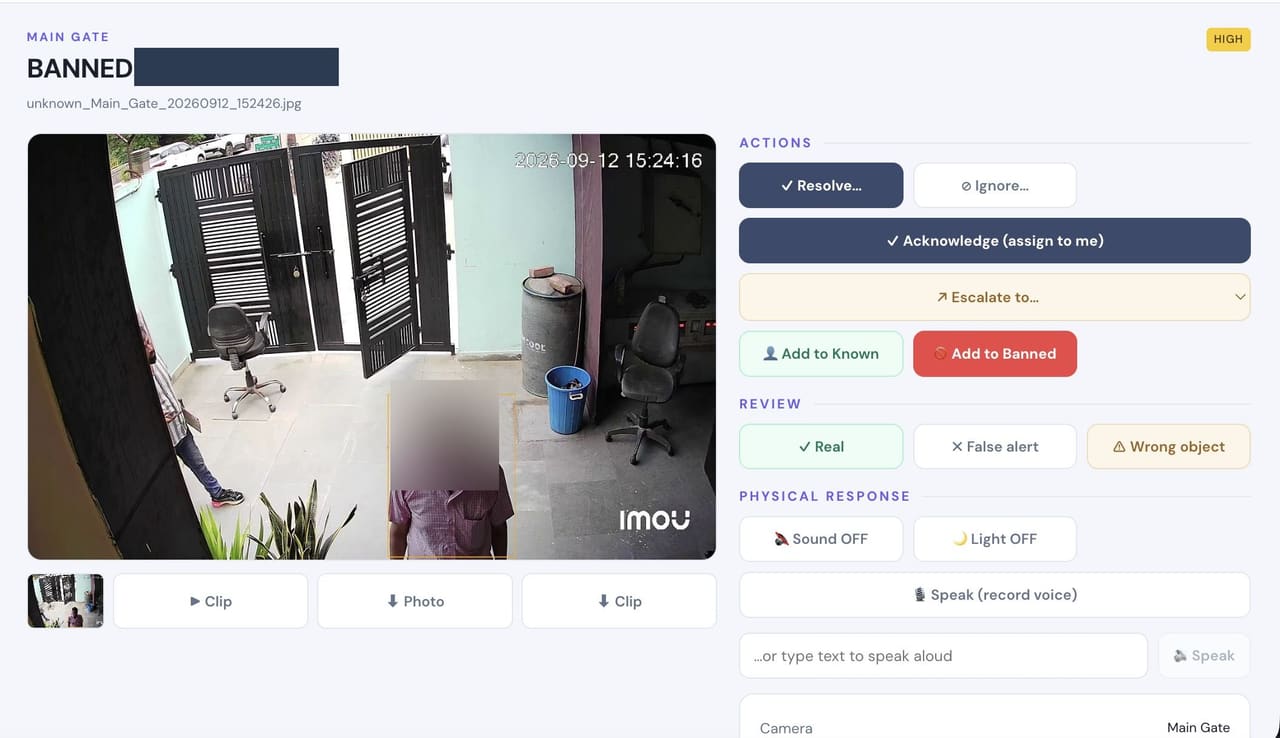
Watchlists at reception
A dismissed employee or barred visitor matched at the entrance and raised with the photo, so the desk confirms before anyone acts.
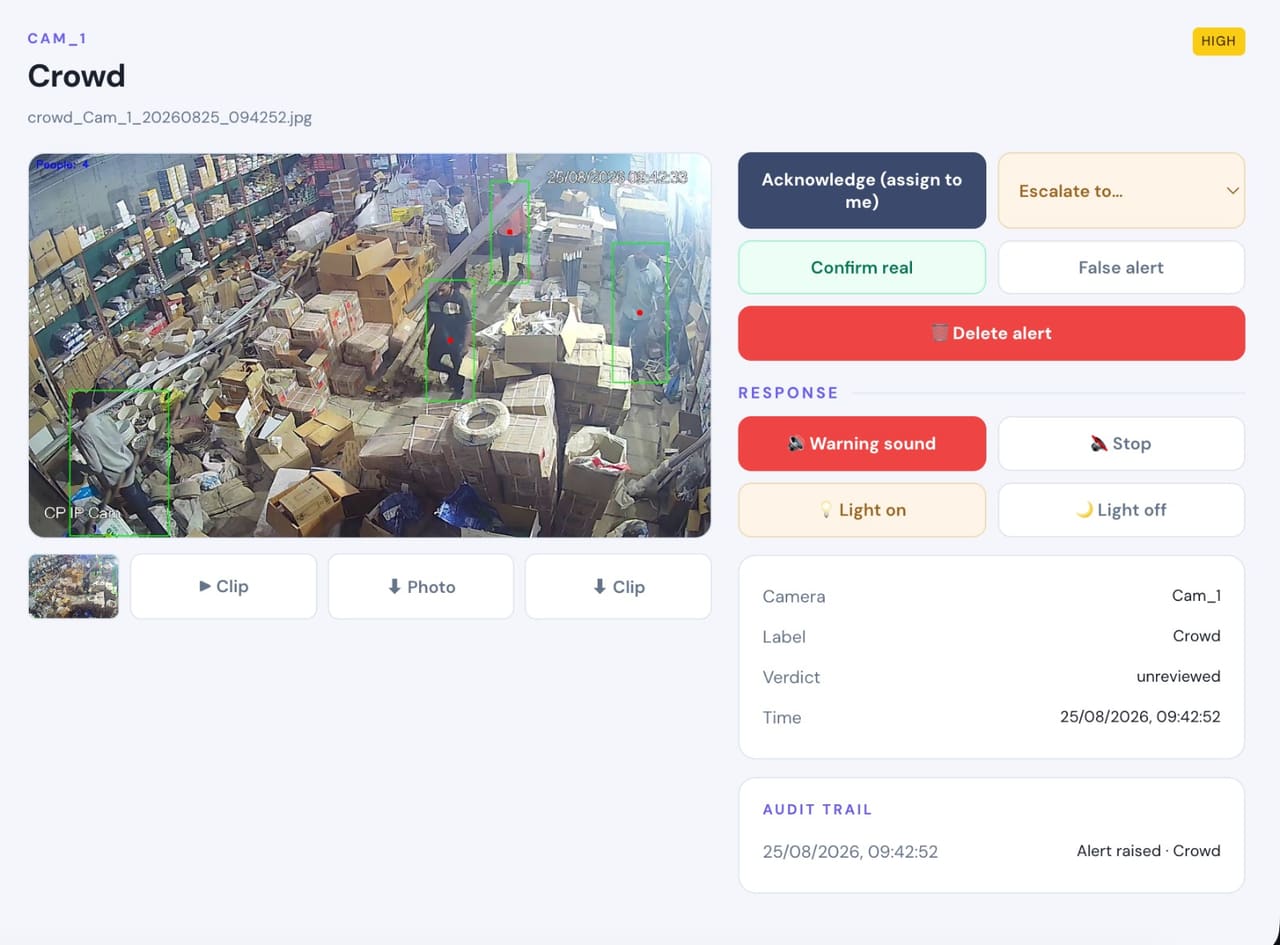
Occupancy & crowding
Limits on lobbies, waiting areas and cafeterias, with trend reporting per area and shift.
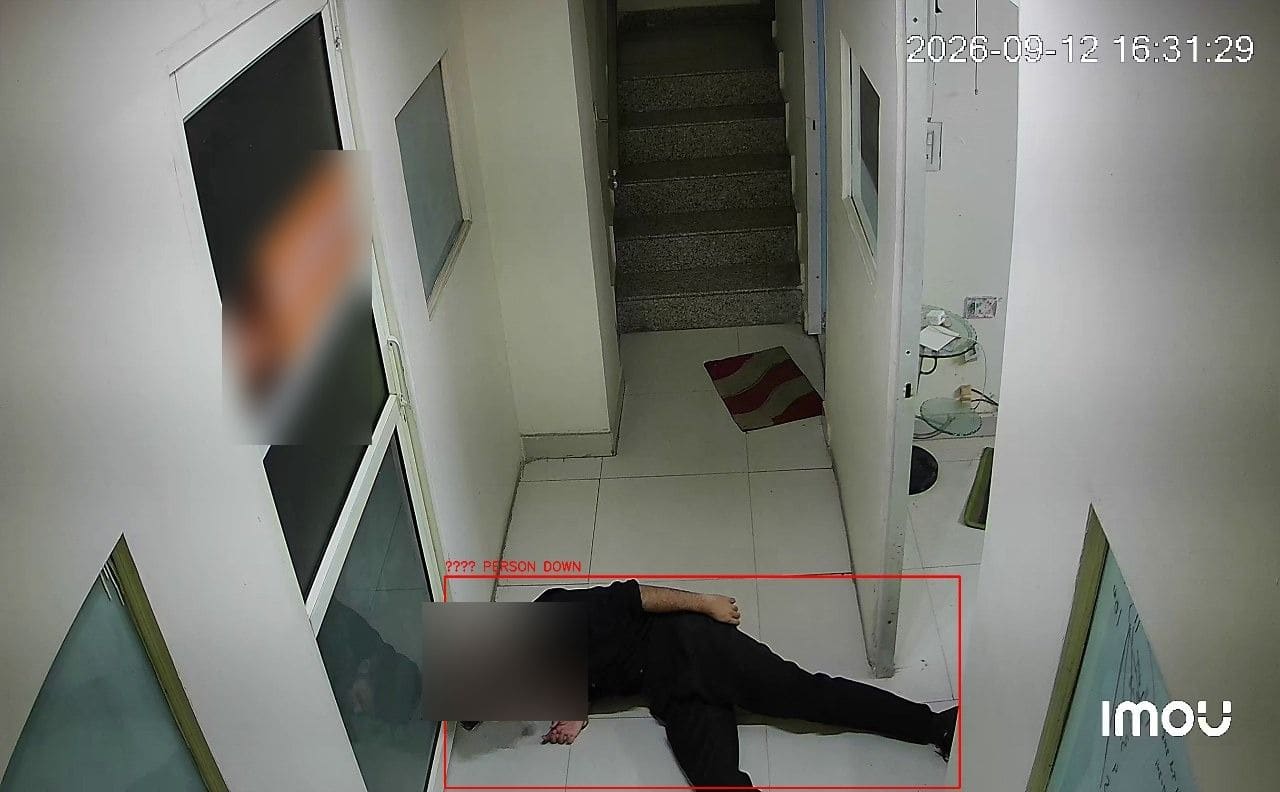
Fall detection on quiet floors
A collapse in a stairwell or a quiet corridor, raised immediately rather than discovered on the next round.
Evidence for every event
Frame, clip, time and context attached, so an incident can be reviewed, acted on and audited.
Real frames, not illustrations
From live customer deployments. Faces are blurred where the person would otherwise be identifiable, and names are removed.
What you can enable here
Capabilities are selected per site during the assessment. Nothing is on by default, and several depend on camera placement and lighting — which is what the assessment establishes.
Detect
6Identify people, vehicles, objects and security events as they happen.
- Person Detection
- Vehicle Detection
- Fire & Smoke Detection
- Fall Detection
- Occupancy & Crowd Monitoring
- Intrusion & Restricted-Area Detection
Understand
6Add identity, context, movement and event intelligence to live video.
- Face Recognition
- Person Re-Identification
- Vehicle Identification
- License Plate Recognition
- Behavior & Context Analysis
- Identity-Aware Event Intelligence
Act
6Trigger alerts, sirens, speakers, lights, guard workflows and evidence when action matters.
- Real-Time Alerts
- Siren & Speaker Integration
- Floodlight & Response Integration
- Guard Workflows
- Mobile & Dashboard Notifications
- Evidence Clips & Reporting
One appliance. NVR + AI + management.
Camera streams, recording, playback, AI events, evidence clips, alerts, reports, users and roles and camera health — centralised in one appliance inside your premises. Faces, clips and reports stay on site.
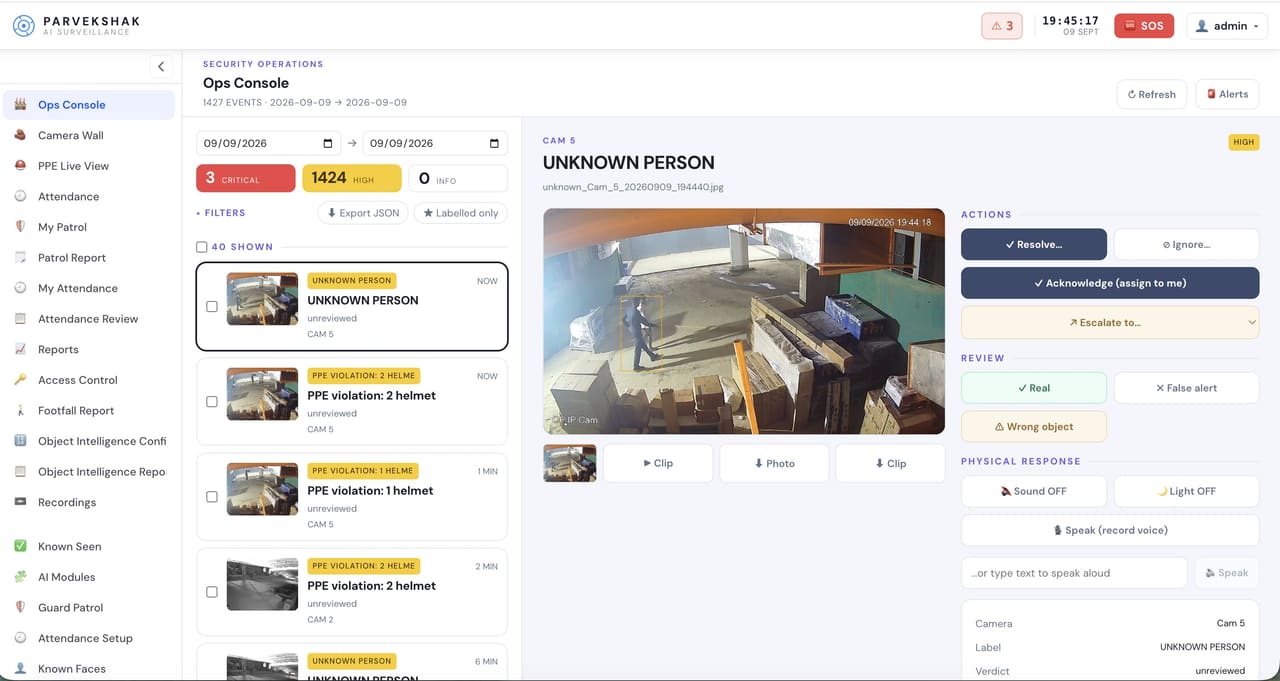
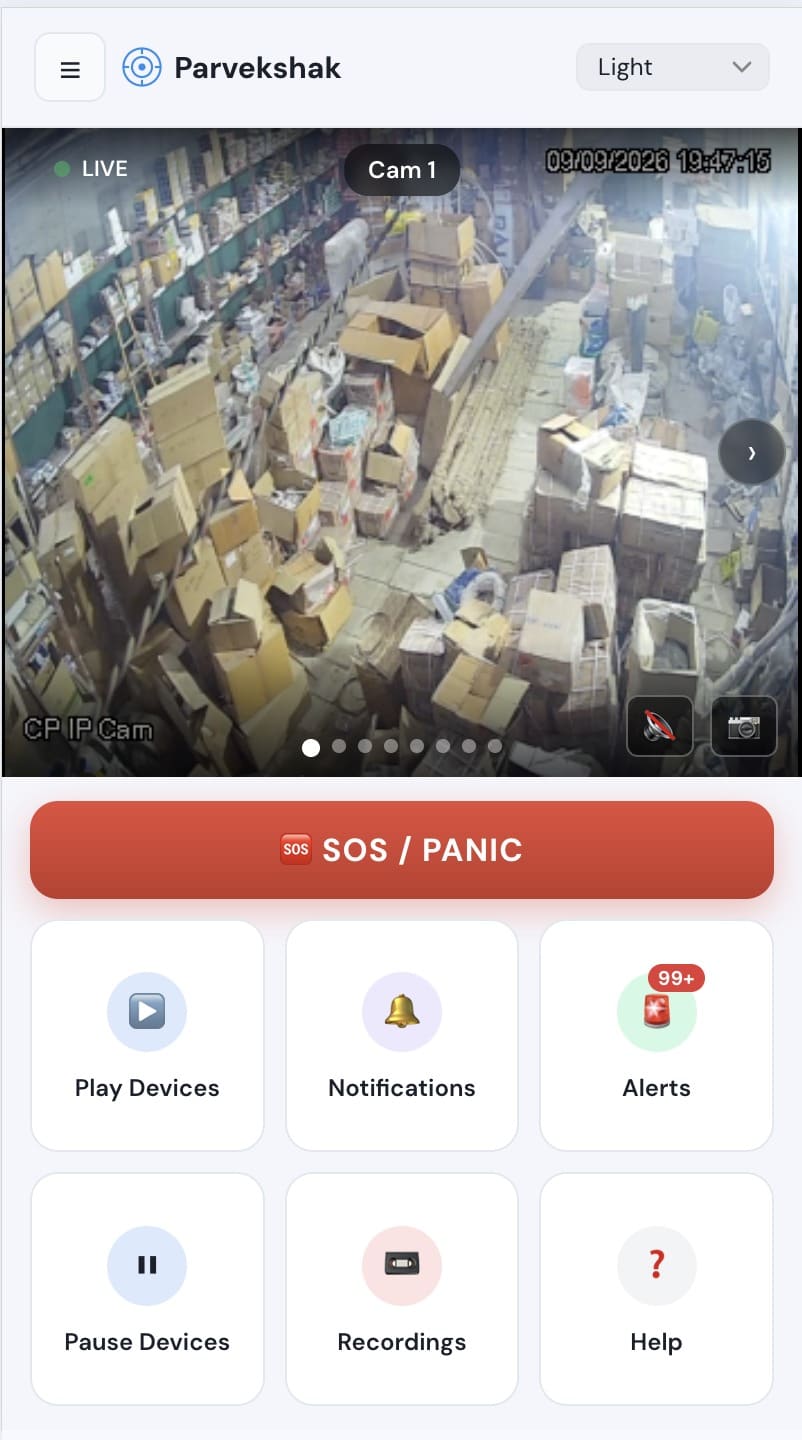
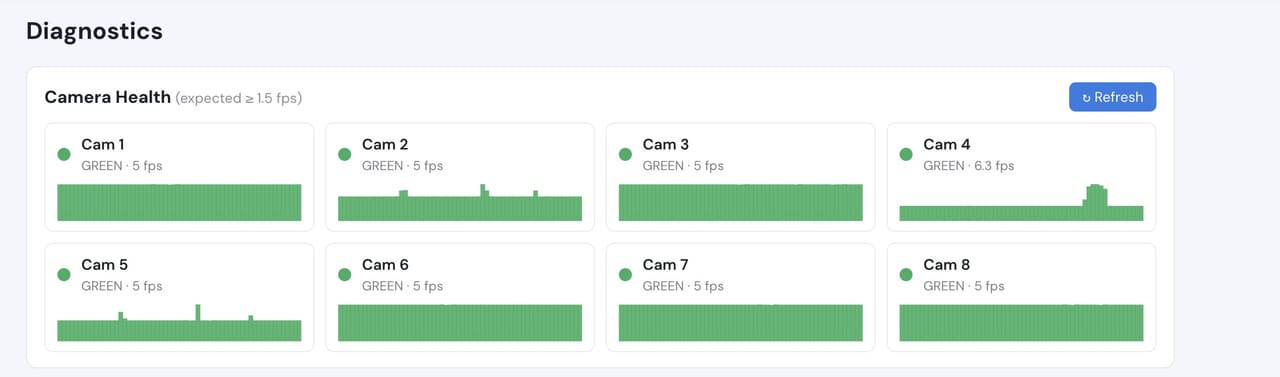
Camera count, retention and storage are specified per appliance configuration and confirmed during the assessment.
Frequently Asked Questions
Is face recognition legal where we operate?
Biometric rules vary by state — Illinois, Texas and Washington have specific statutes, and several cities regulate further. Keeping enrolled faces and clips on your own appliance helps, but confirm your obligations with counsel. The system works well with recognition disabled, using areas, timing and person detection alone.
Do we have to tell staff?
Notice and consent requirements depend on your jurisdiction and any collective agreements. Raise it early — occupancy and workflow features in particular are the ones most likely to need consultation.
Can we use the security features without the operational ones?
Yes. Capabilities are enabled individually. A building can run person detection, restricted areas and watchlists without ever switching on occupancy reporting or guard workflows.
Will it work with cameras our landlord installed?
If they are IP or RTSP cameras and we can reach them on the network, usually yes. The assessment confirms compatibility and coverage.
PARVEK also runs on
Homes & Residential
Intelligent protection for homes, villas and residential communities using the cameras already installed.
Warehouse & Logistics
Monitor people, vehicles, restricted zones and operational events across large facilities.
Manufacturing & Industry
Add AI intelligence to existing industrial camera networks for safety, security and operational awareness.
Critical & High-Security Sites
Local AI, event intelligence and response workflows for environments where timely action matters.
AI surveillance and analytics are technology-assisted and do not guarantee prevention or detection of every security incident or 100% accuracy.